
Babarify Download Manager
by Babarify
Faster Downloads. More Possibilities.
Babarify Download Manager speeds up your downloads with up to 16 connections per file, resumes where you left off, and saves video and audio from thousands of sites, right from Chrome and Edge.
Version 1.0.0 · Windows 10 and 11 (64-bit) · 3.4 MB · Free
Features
Everything a Download Needs
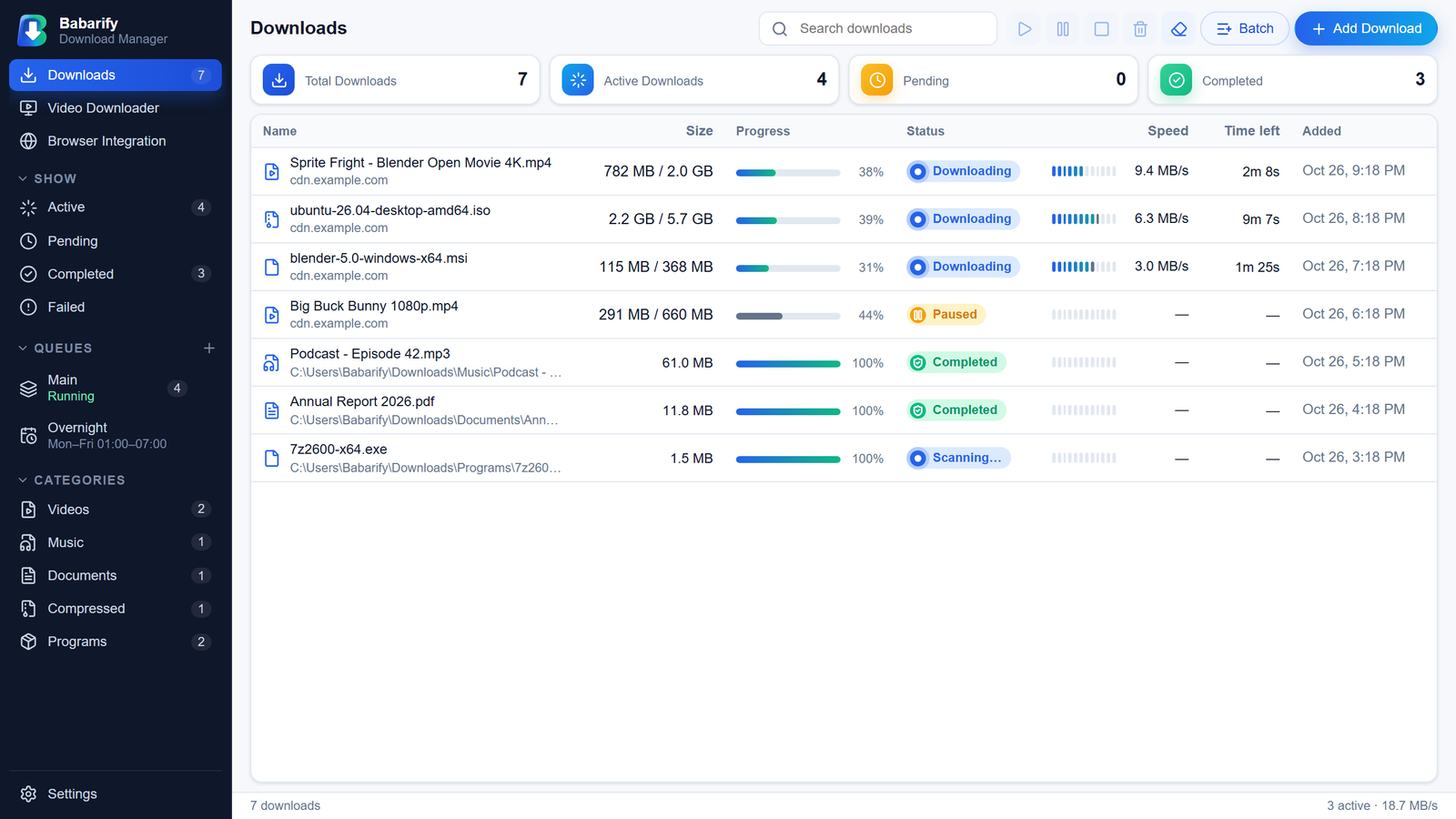
Up to 16× connections
Splits each file into parts and downloads them at once; finished parts help the slow ones.
Pause and resume anytime
Survives restarts, crashes and dropped Wi-Fi; checks the file is unchanged before continuing.
Video and audio
MP4 up to 4K, MKV, or MP3/M4A audio from thousands of sites, including whole playlists, with subtitles, chapters and cover art.
Works with Chrome and Edge
Captures downloads, adds “Download with BDM” to the right-click menu, and shows a download button on videos.
Live speed meters
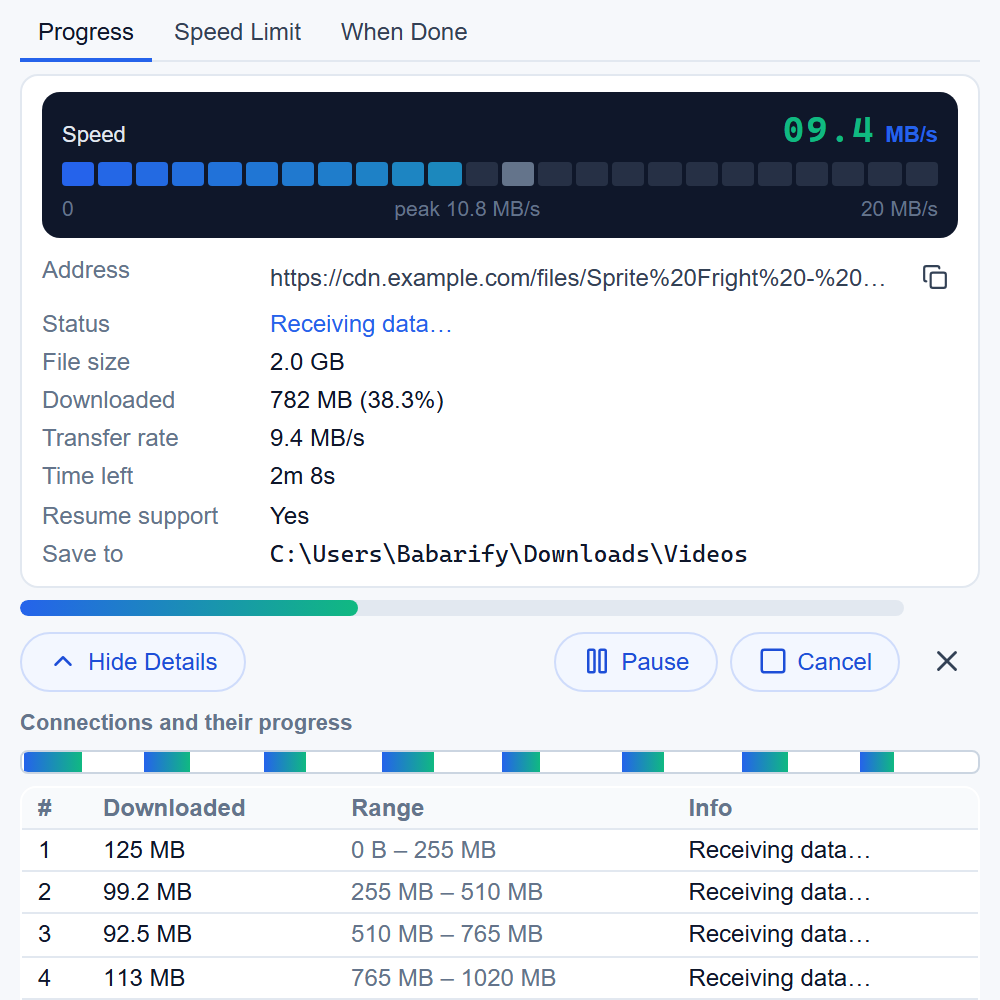
LED bars on every download, and a digital readout with the peak speed in each download’s window.
Queues and schedules
Run downloads overnight, by priority, on chosen days, then sleep or shut down the PC.
Speed limits
For all downloads or just one, changed instantly.
Batch downloads
Numbered patterns like photo[01-50].jpg, pasted lists or a .txt file.
Virus scan
Each finished file is checked by Microsoft Defender.
Disk-space guard
Checks free space before starting and pauses before the drive fills.
Refresh expired links
Continue an unfinished download from a new link to the same file.
Tray and clipboard
Keeps running in the tray and offers to download links you copy.
Chrome and Edge
Downloads from your browser
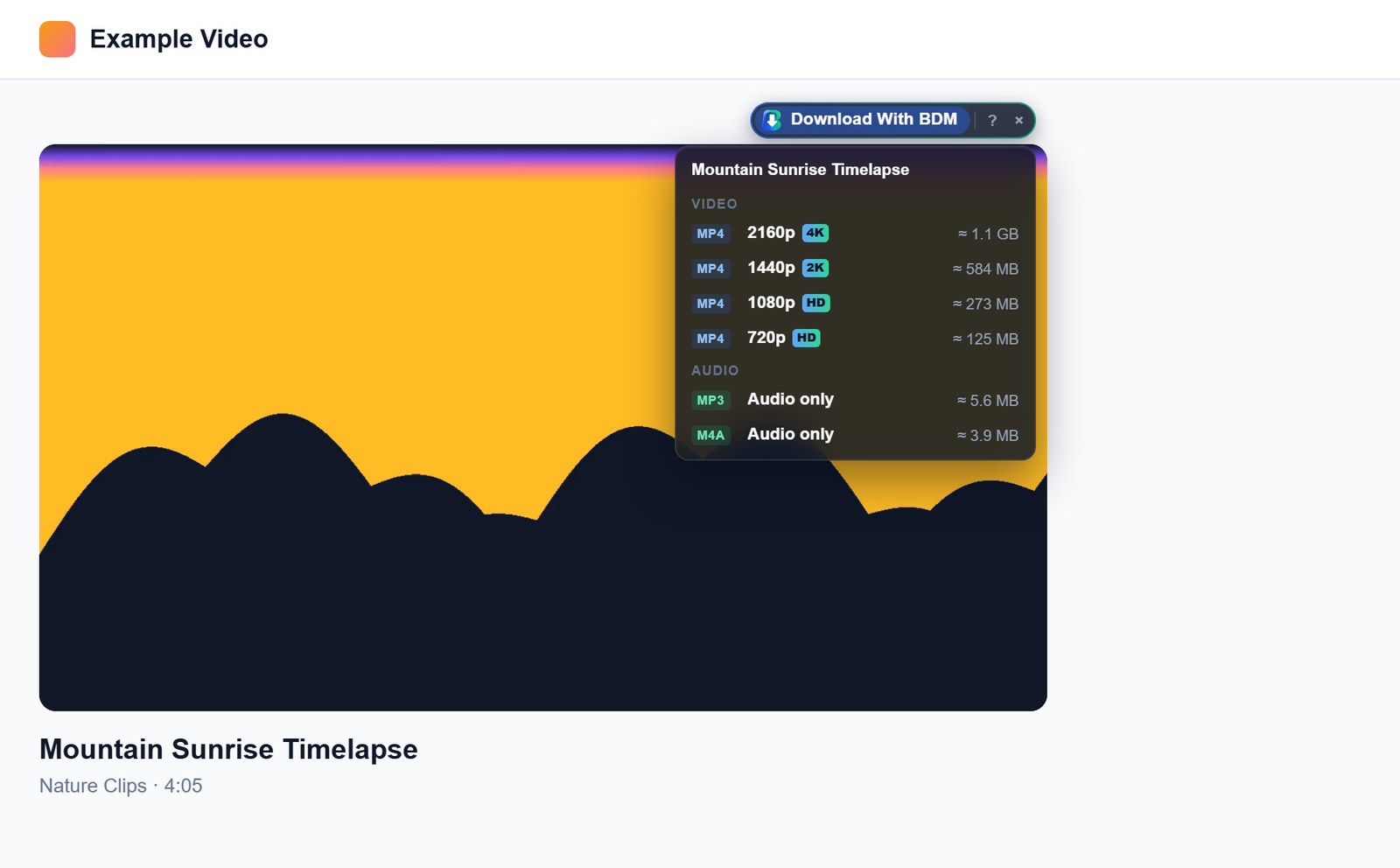
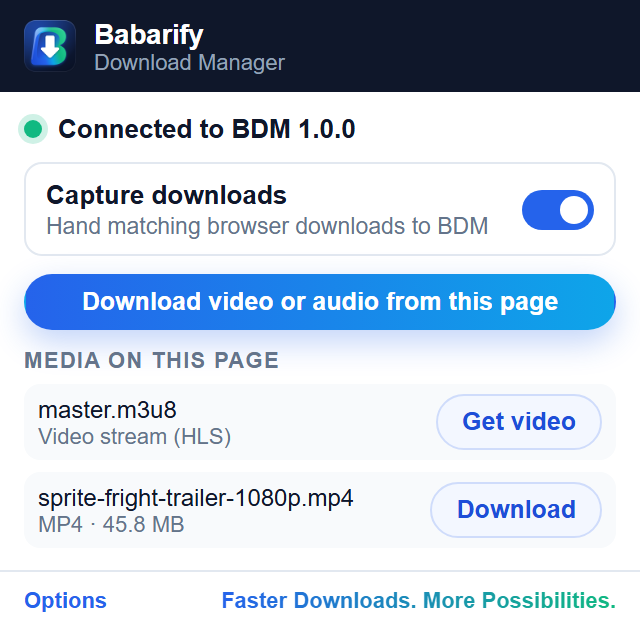
Install the free BDM extension for Chrome or Edge. Downloads you start go straight to BDM, the right-click menu sends any link, and a “Download With BDM” button appears on videos. Pick a quality and it starts.
- Capture by file type
- Excluded sites
- Sign-in downloads for sites you choose
- Nothing reads your passwords or history
Chrome Web Store and Edge Add-ons listing coming soon.
Download window
Every download, in detail
Open any download to see its live speed meter, time left, and every connection’s progress on a map. Give it its own speed limit or choose what happens when it finishes.
Screenshots
A Closer Look
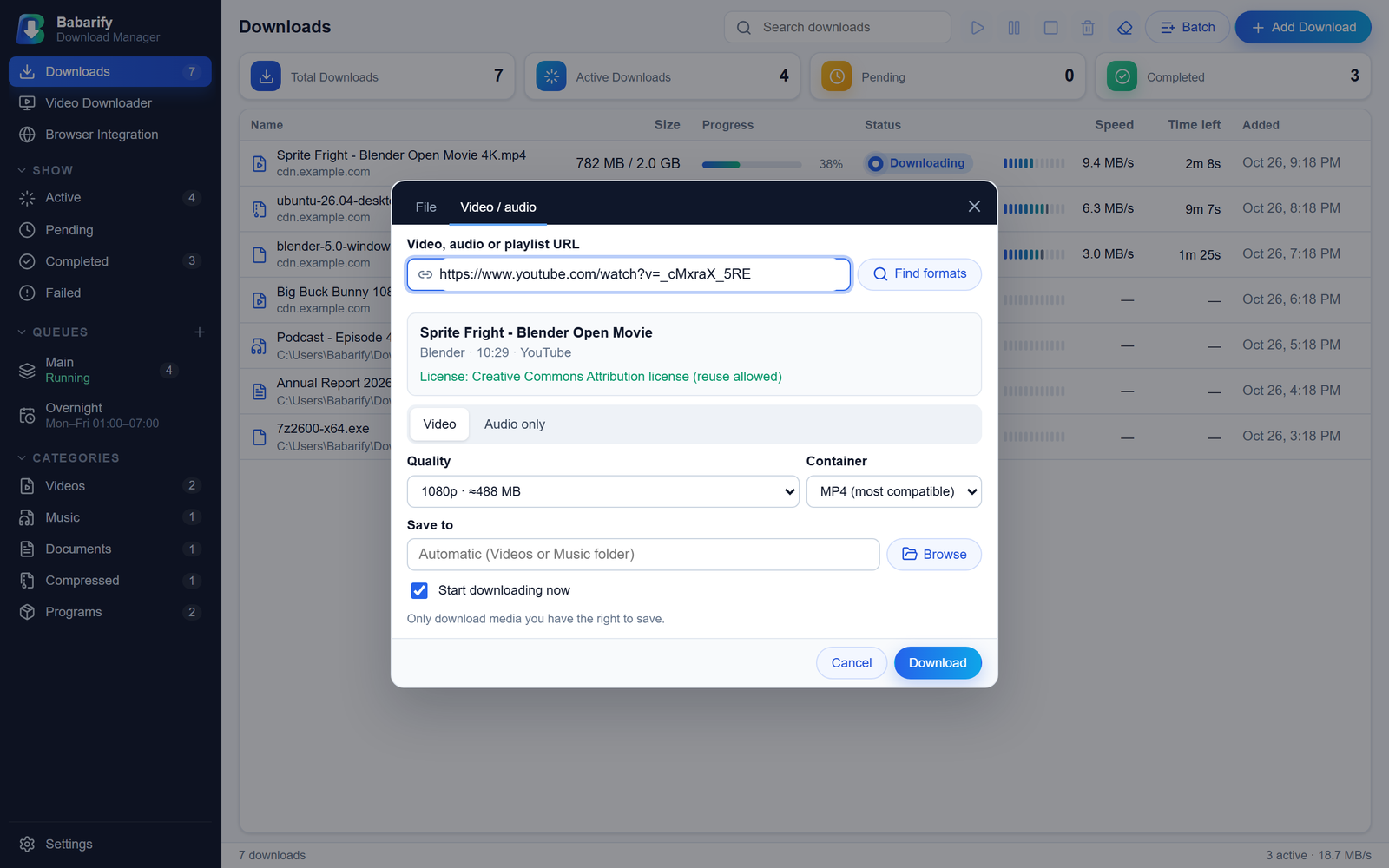
Pick 4K to 360p MP4/MKV, or audio only. 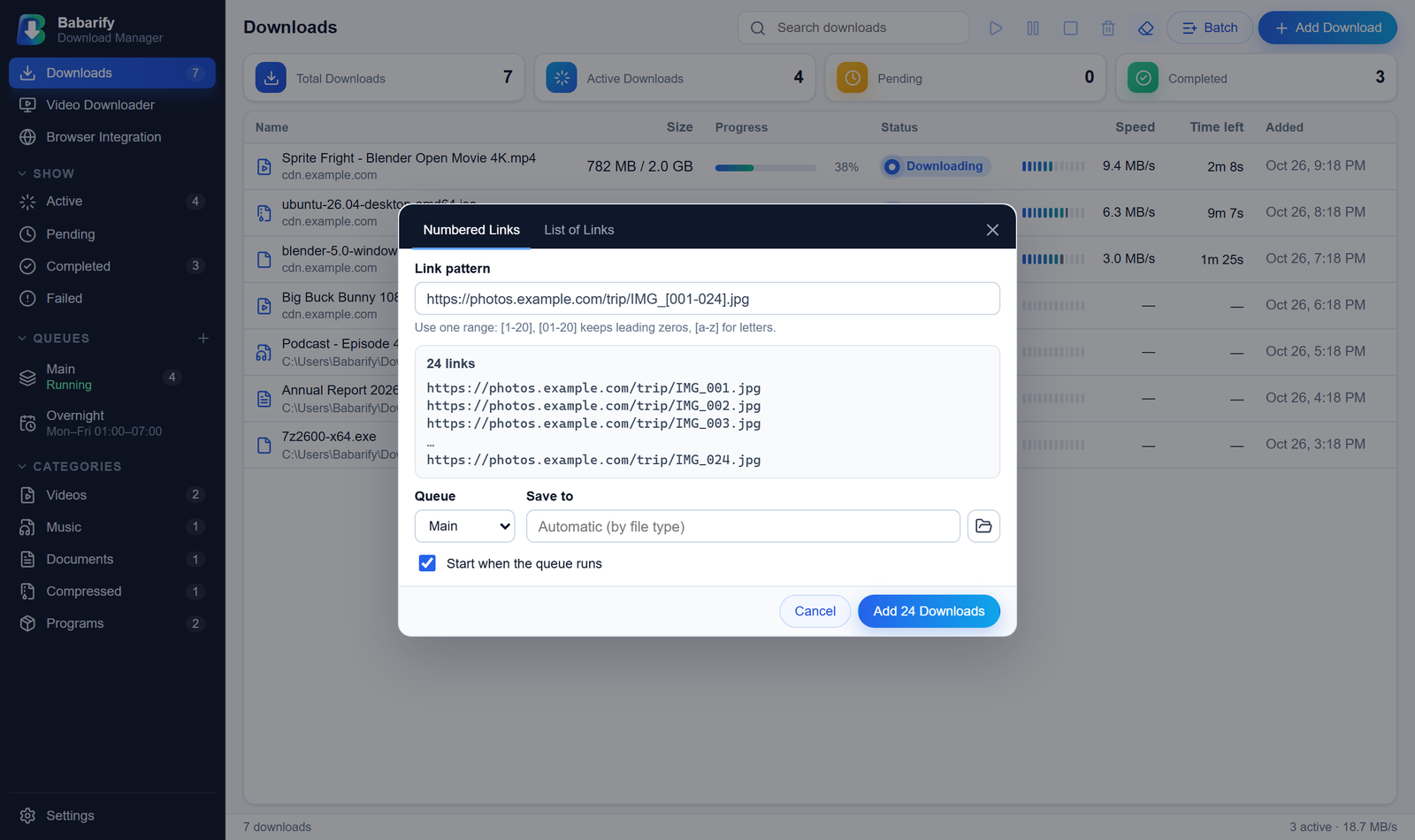
Numbered links like IMG_[001-024].jpg become 24 downloads. 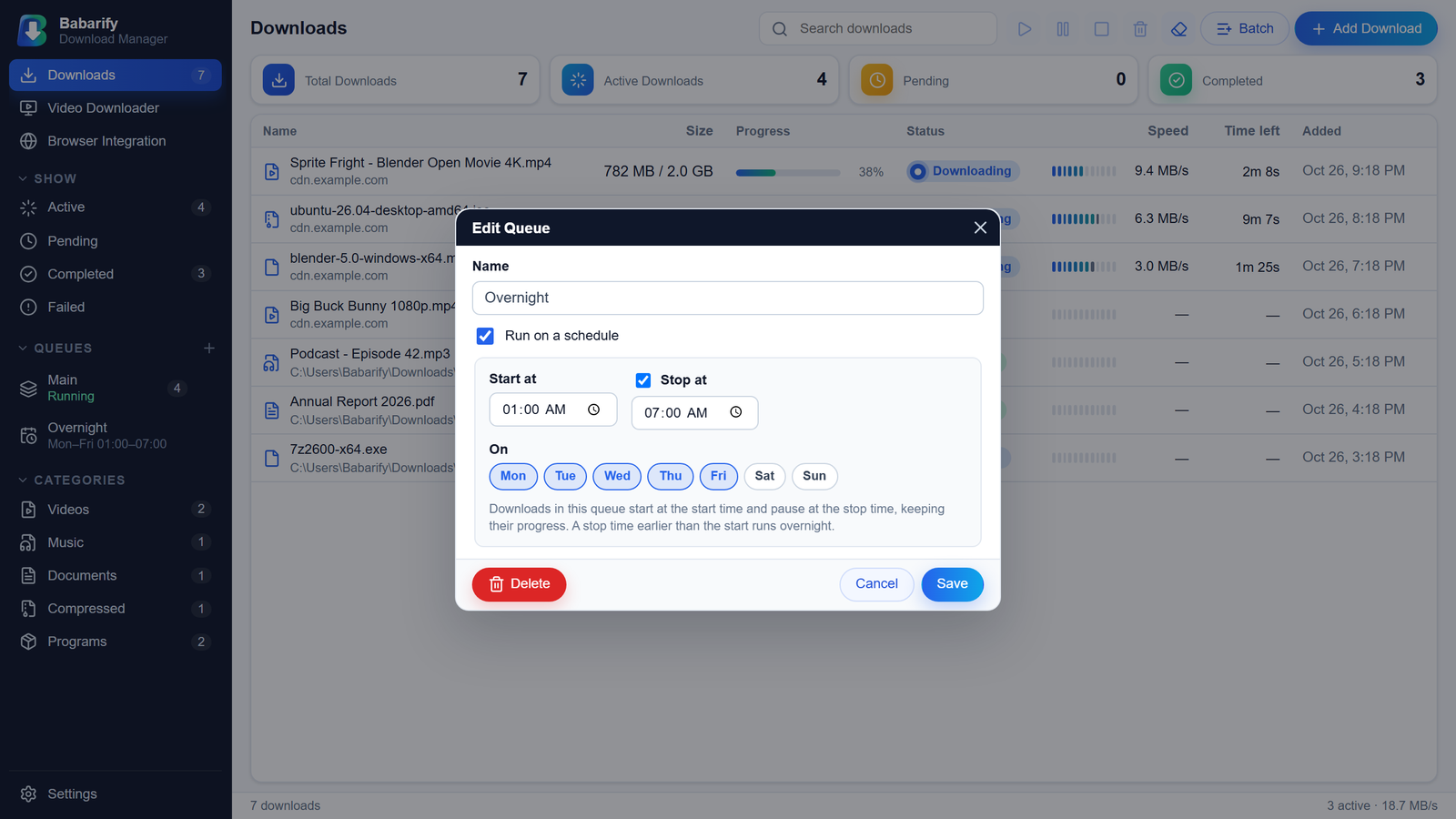
Run a queue overnight, on the days you choose. 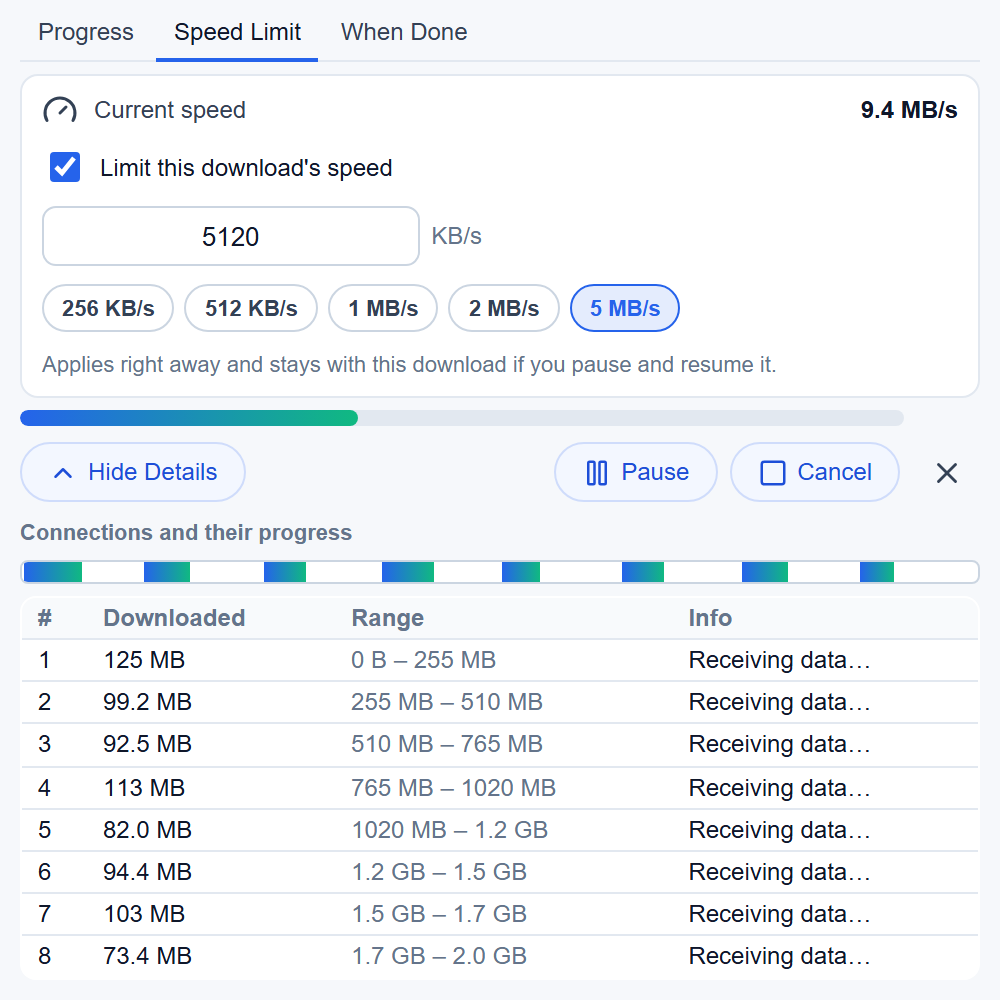
Limit any download’s speed, instantly. 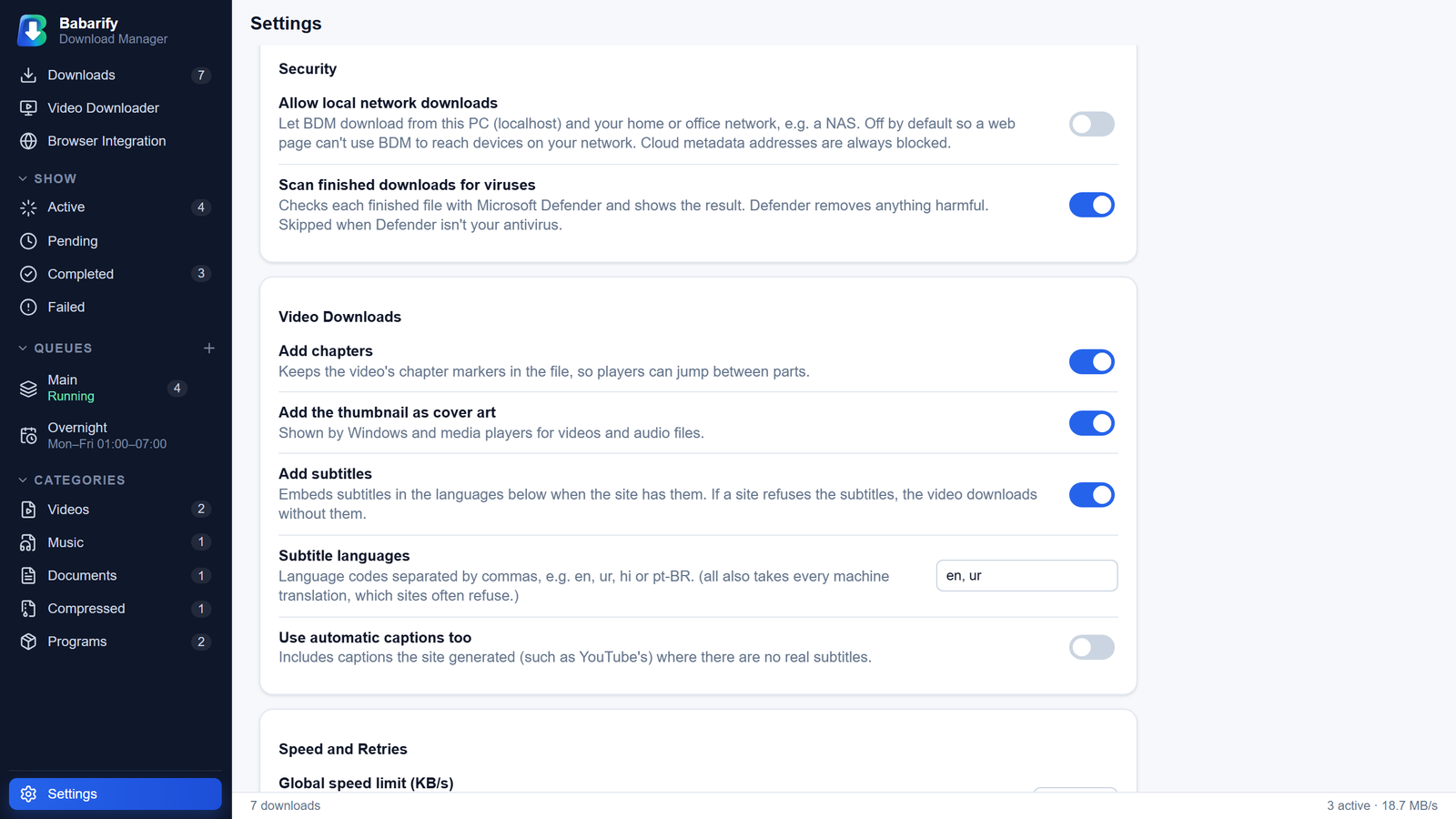
Every finished file is checked by Microsoft Defender. 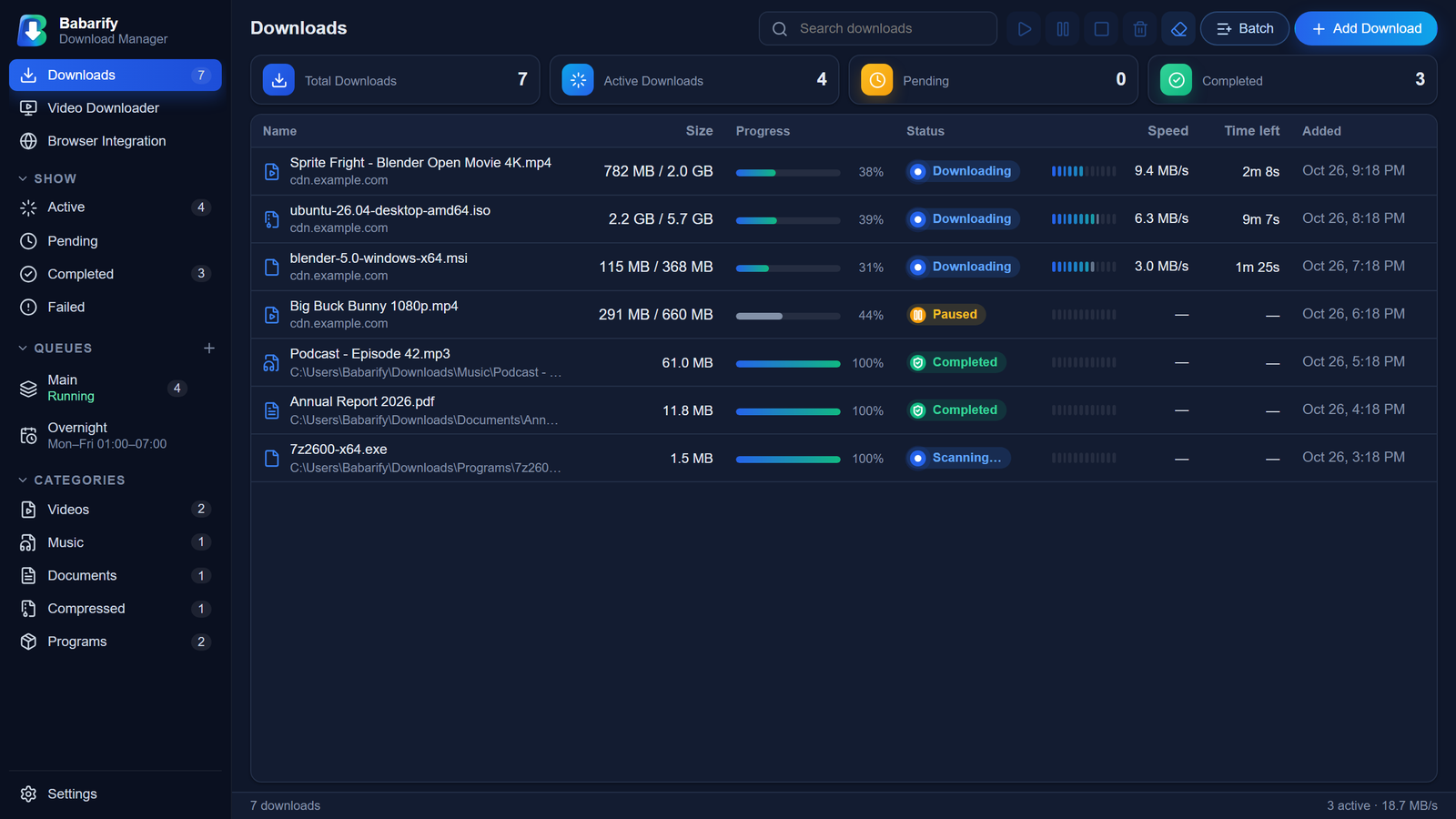
Light and dark themes.
Privacy and safety
Yours, and Safe by Default
No accounts, no tracking
No telemetry, analytics or ads. Your download list stays on your PC.
Safe by default
Blocks downloads aimed at your own PC or local network, never downgrades HTTPS, and marks downloaded files so Windows checks them before opening.
Respects creators
DRM-protected media is refused. Download only content you have the right to download.
Get BDM for Windows
Version 1.0.0 · Windows 10 and 11 (64-bit) · 3.4 MB · Free
The BDM 1.0.0 installer will be available here soon.
Requirements
- Windows 10 or 11, 64-bit
- WebView2 (built into Windows 11; the installer adds it on Windows 10 if needed)
- About 10 MB of disk space (the optional video tools add about 250 MB)
Install
- Run the installer. It installs for your Windows user, with no admin prompt.
- If Windows says “Windows protected your PC”, choose More info → Run anyway. (The installer isn’t code-signed yet.)
- Add the browser extension and restart the browser once.
- Optional: Settings → Media tools → Install for video and audio downloads.
FAQ
Questions and Answers
Is BDM free?
Yes. Babarify Download Manager is free to download and use.
Which browsers work?
Chrome and Microsoft Edge on Windows.
Why does Windows show a SmartScreen warning?
BDM’s installer isn’t code-signed yet. Choose More info → Run anyway. Signing is planned.
Can it download from YouTube and other video sites?
Yes, from sites supported by the open-source yt-dlp, which BDM installs for you on request. DRM-protected services (such as Netflix) aren’t supported.
Do I keep my downloads when I update?
Yes. Install the new version over the old one; your list and settings stay.
Does BDM collect my data?
No. See the privacy policy.
How do I uninstall?
Windows Settings → Apps → Babarify Download Manager → Uninstall.
Coming soon: Babarify Player, a video and audio player built into BDM, with preview while downloading.