Babarify Media Player plays the videos and music you already have, and organises your music into a library with albums, artists and artwork. It's free, it works offline, and it keeps your data on your PC.
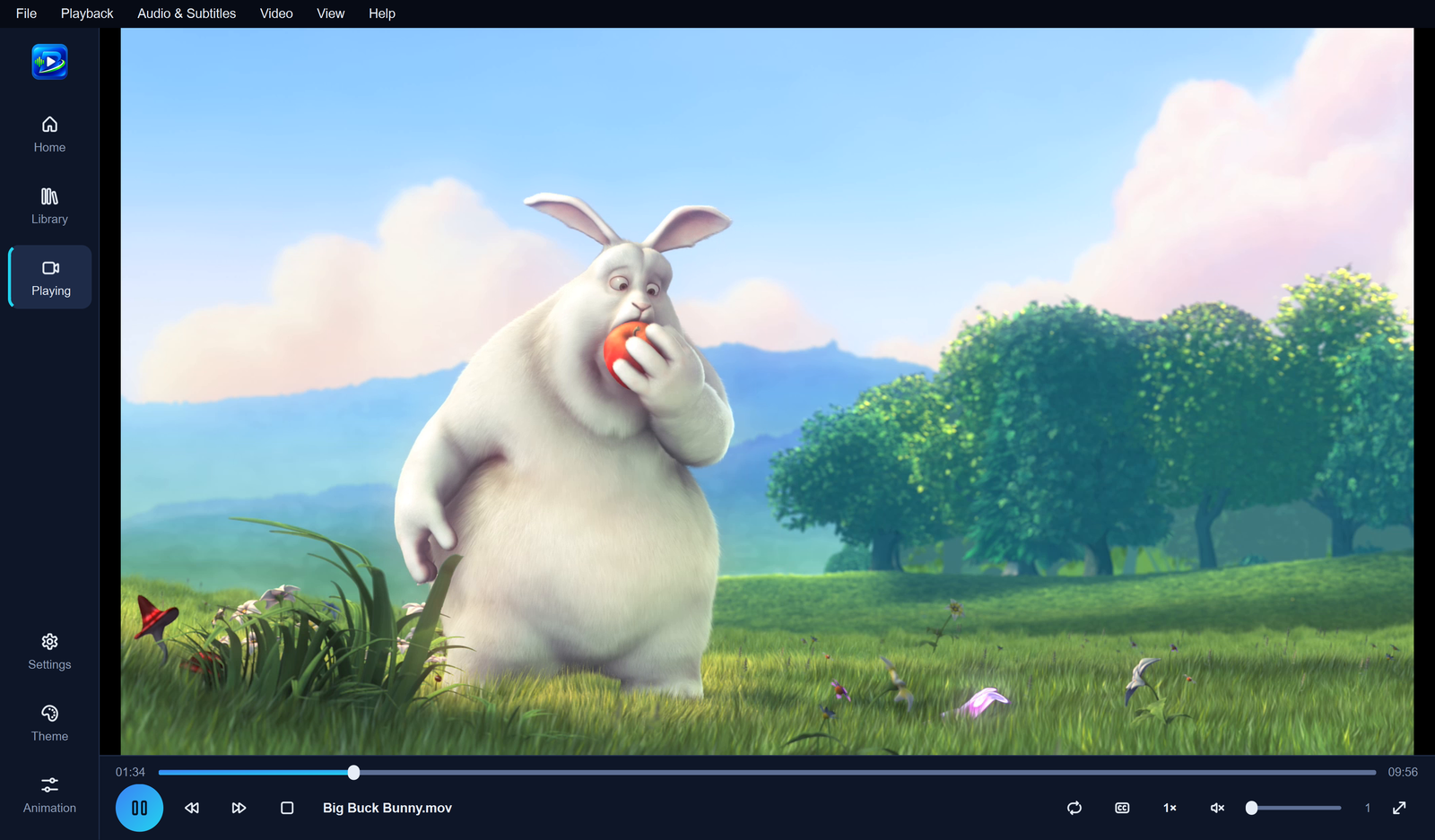
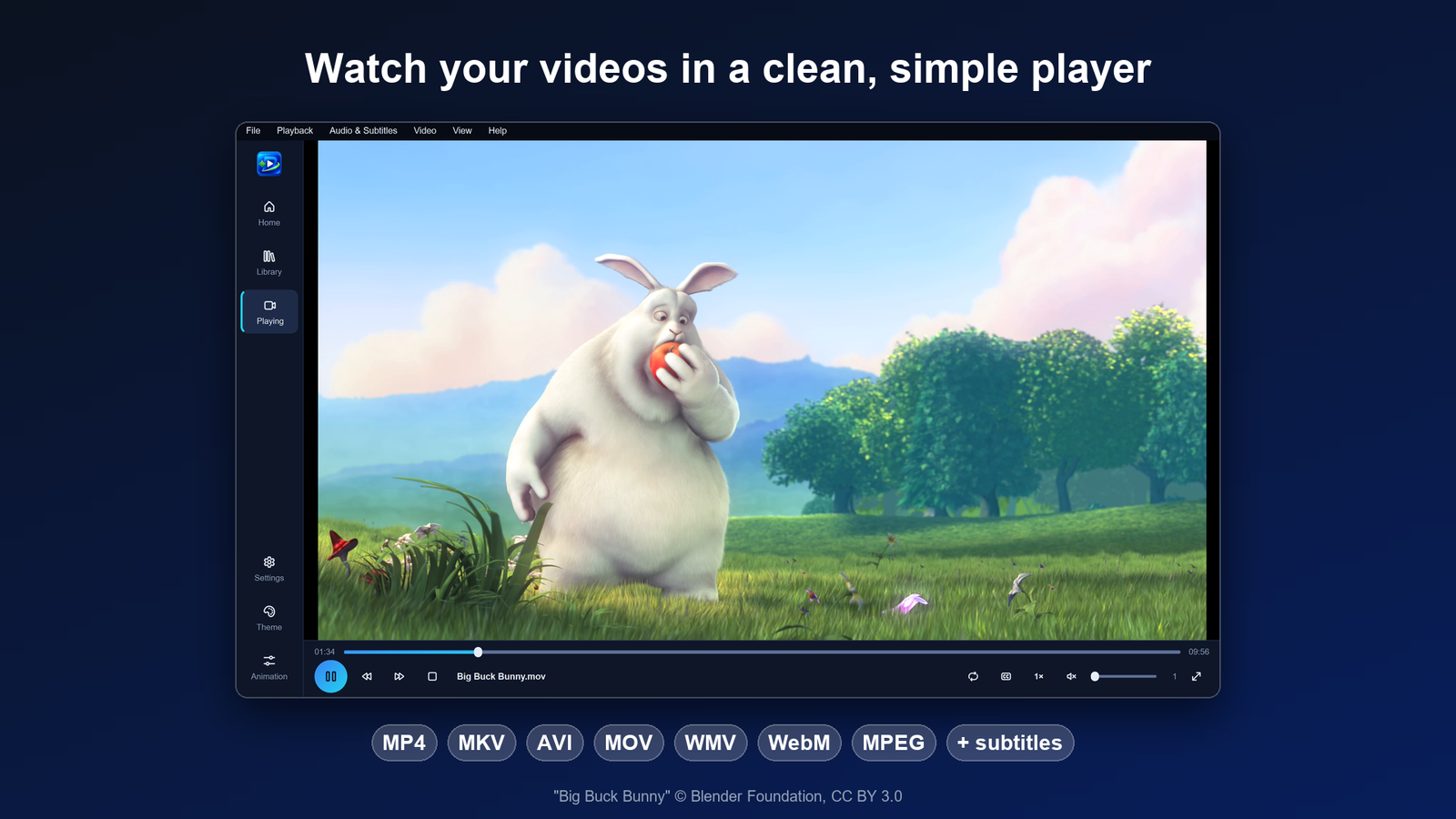
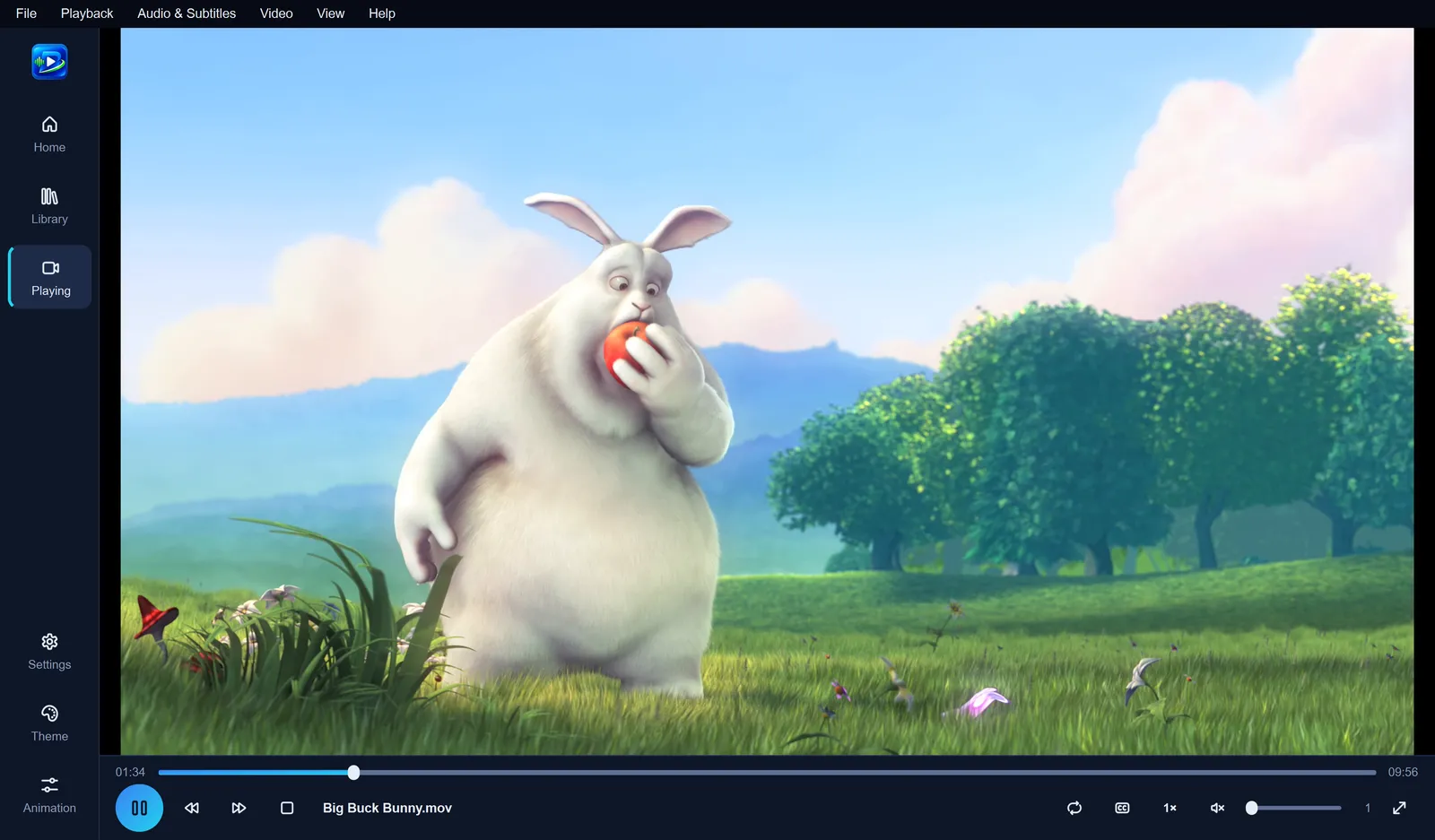
Open a file, drag it onto the window or pick it from Continue watching, and it plays. Babarify handles common formats such as MP4, MKV, MOV, AVI, WMV and WebM with no extra codecs, and uses your graphics card to decode when it can, so playback stays smooth and quiet.
All the controls you expect: pause, seek with preview pictures, speed from 0.5× to 2×, A-B repeat and full screen with controls that hide themselves.
Subtitles and audio tracks: load subtitle files, switch languages, fix timing, and make subtitles bigger or clearer.
Pick up where you stopped: Continue watching on Home takes you back to the right moment.
Picture adjustments: brightness, contrast, colour, zoom, crop and rotation.
A music player that looks as good as it sounds
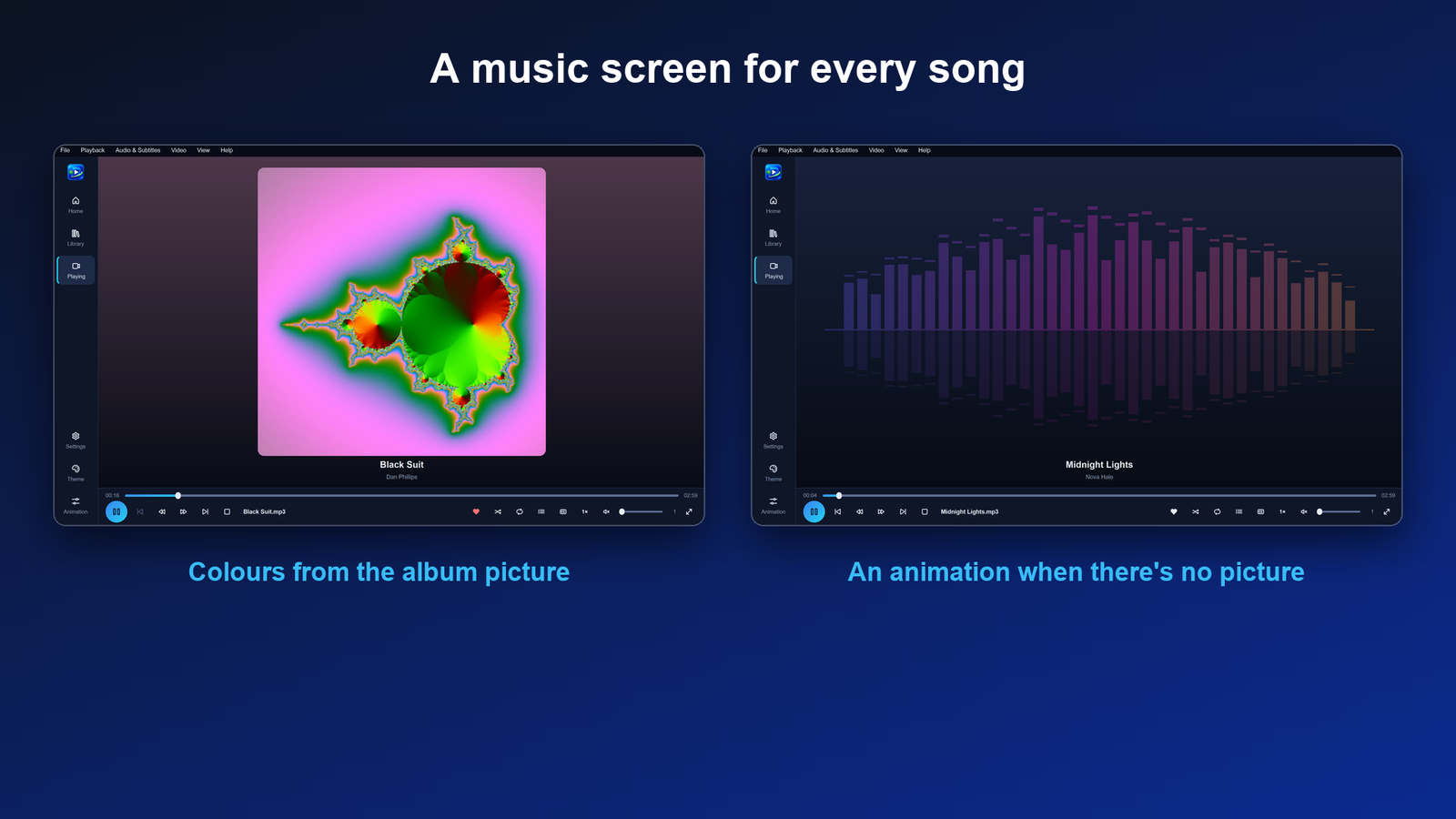
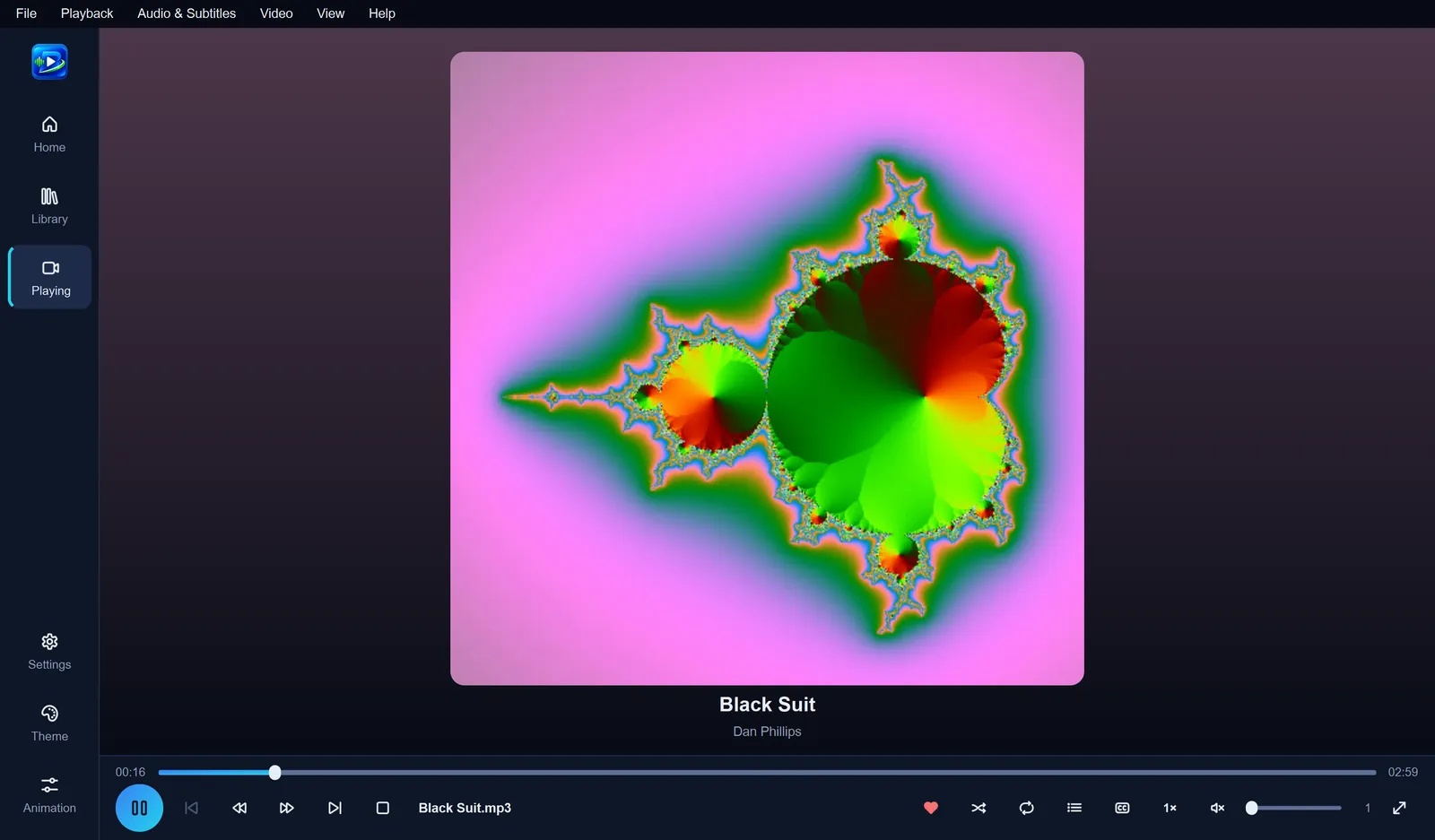
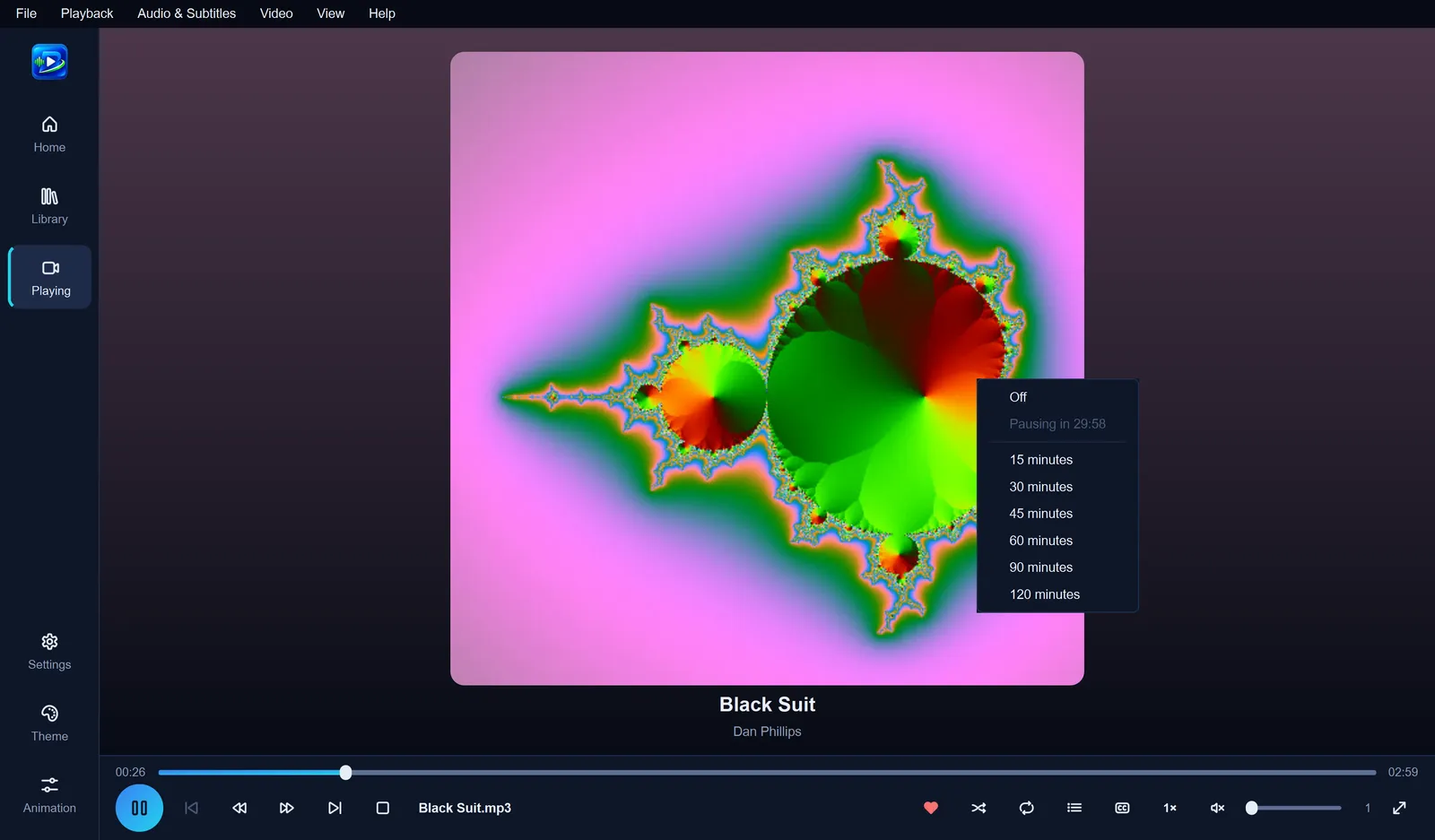
Every song gets its own screen with the album picture and colours taken from it. No picture? You'll see a colourful animation instead.
Queue, shuffle and repeat: choose Play next or Add to queue from any song, and jump to any song in the queue.
Fade between songs: smooth changes of 2, 4 or 6 seconds.
Lyrics: load or type lyrics; timed lyrics follow the song line by line.
Sleep timer: pause automatically after 15 minutes to 2 hours.
Sound effects and volume boost: add a sense of room or wider stereo, and boost quiet files up to 200%.
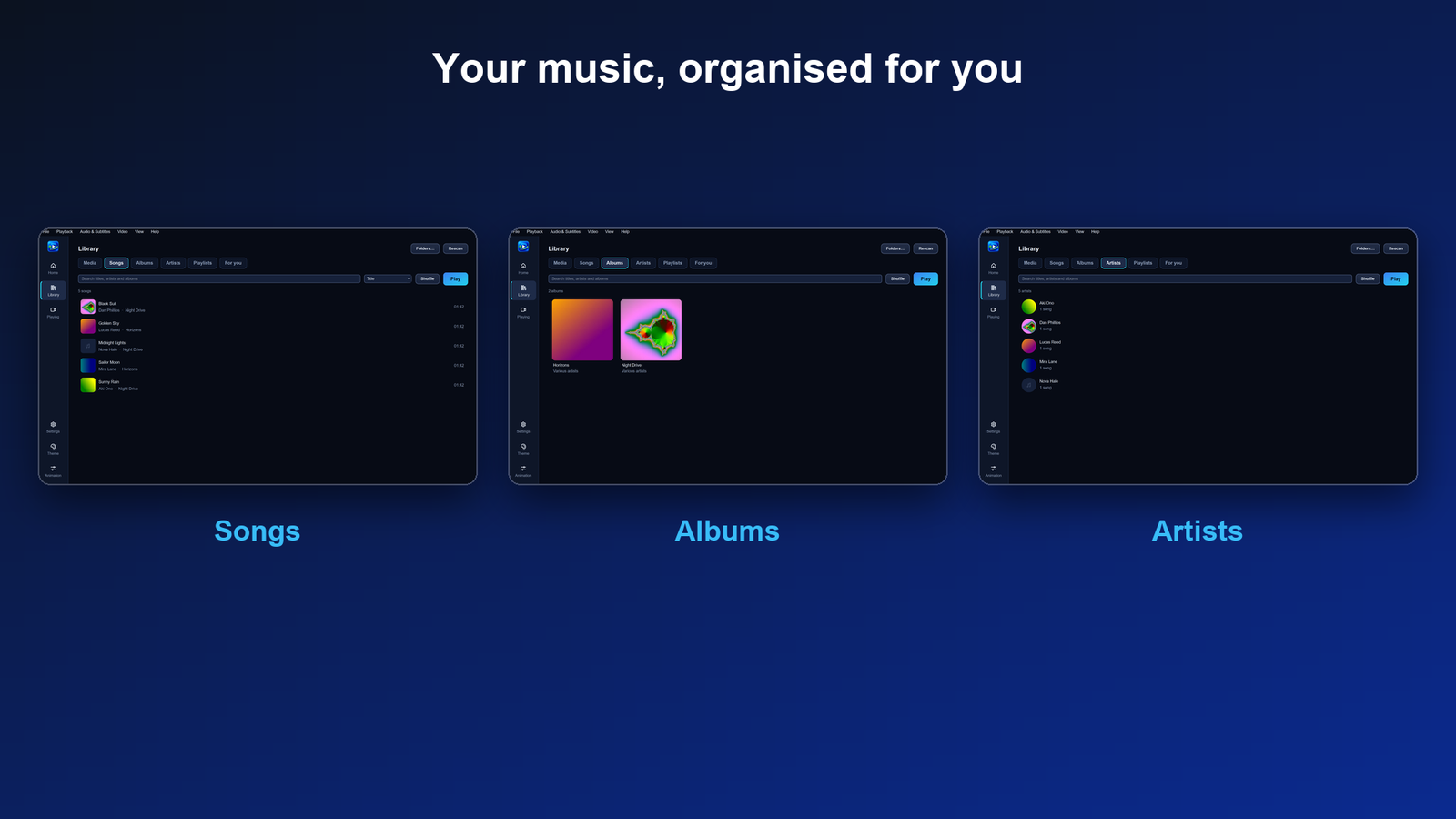
Your music, organised for you
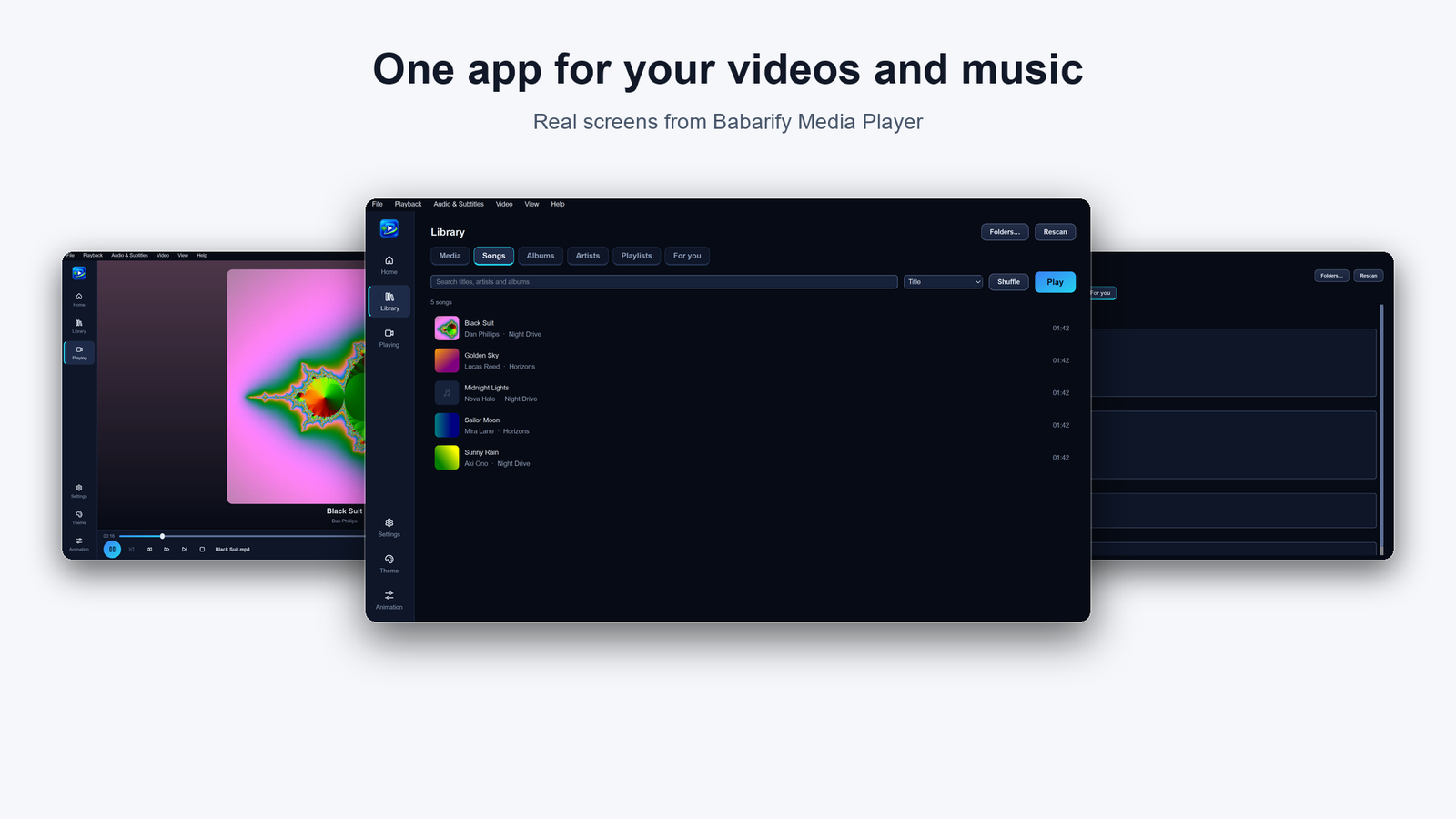
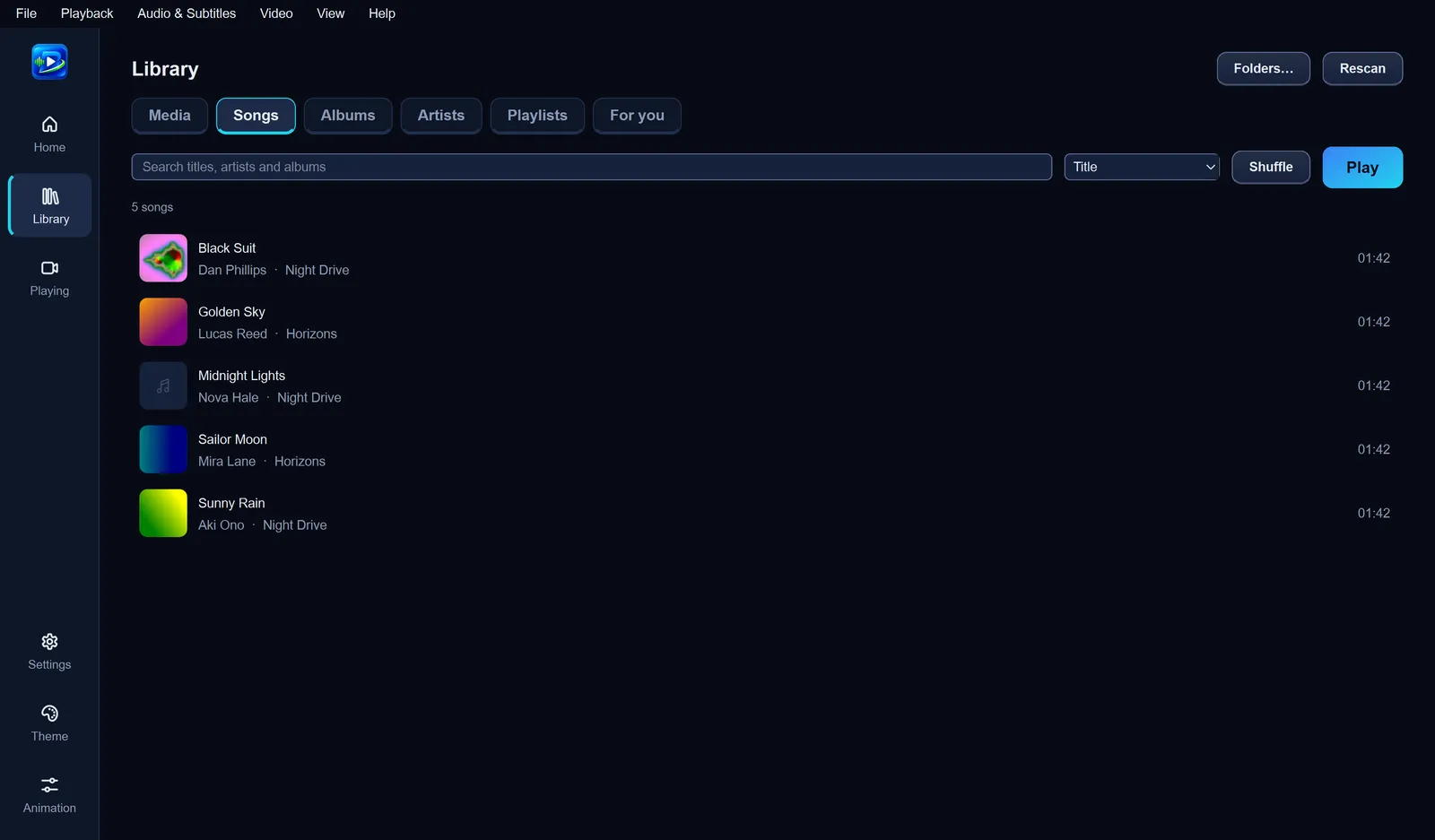
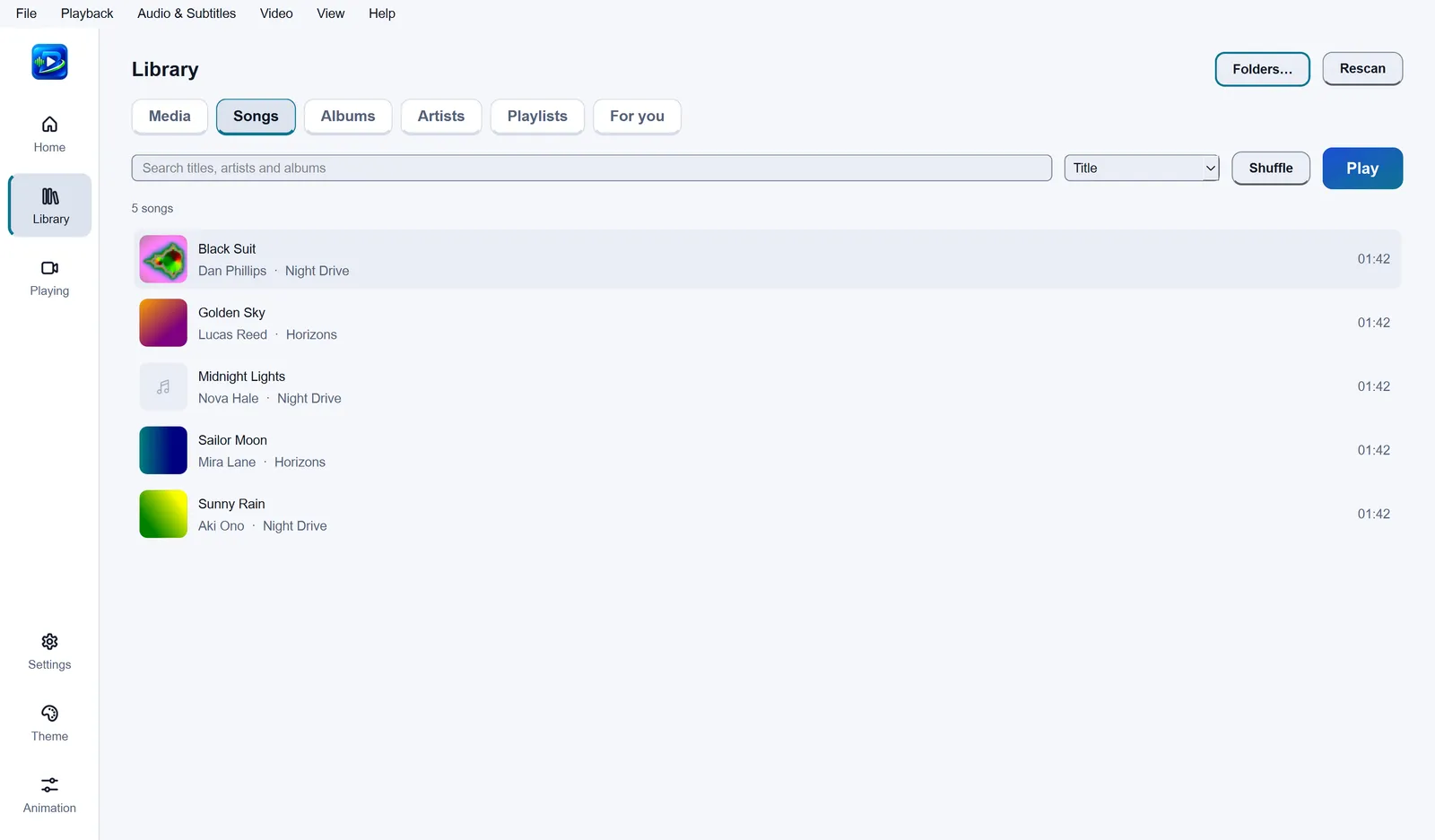
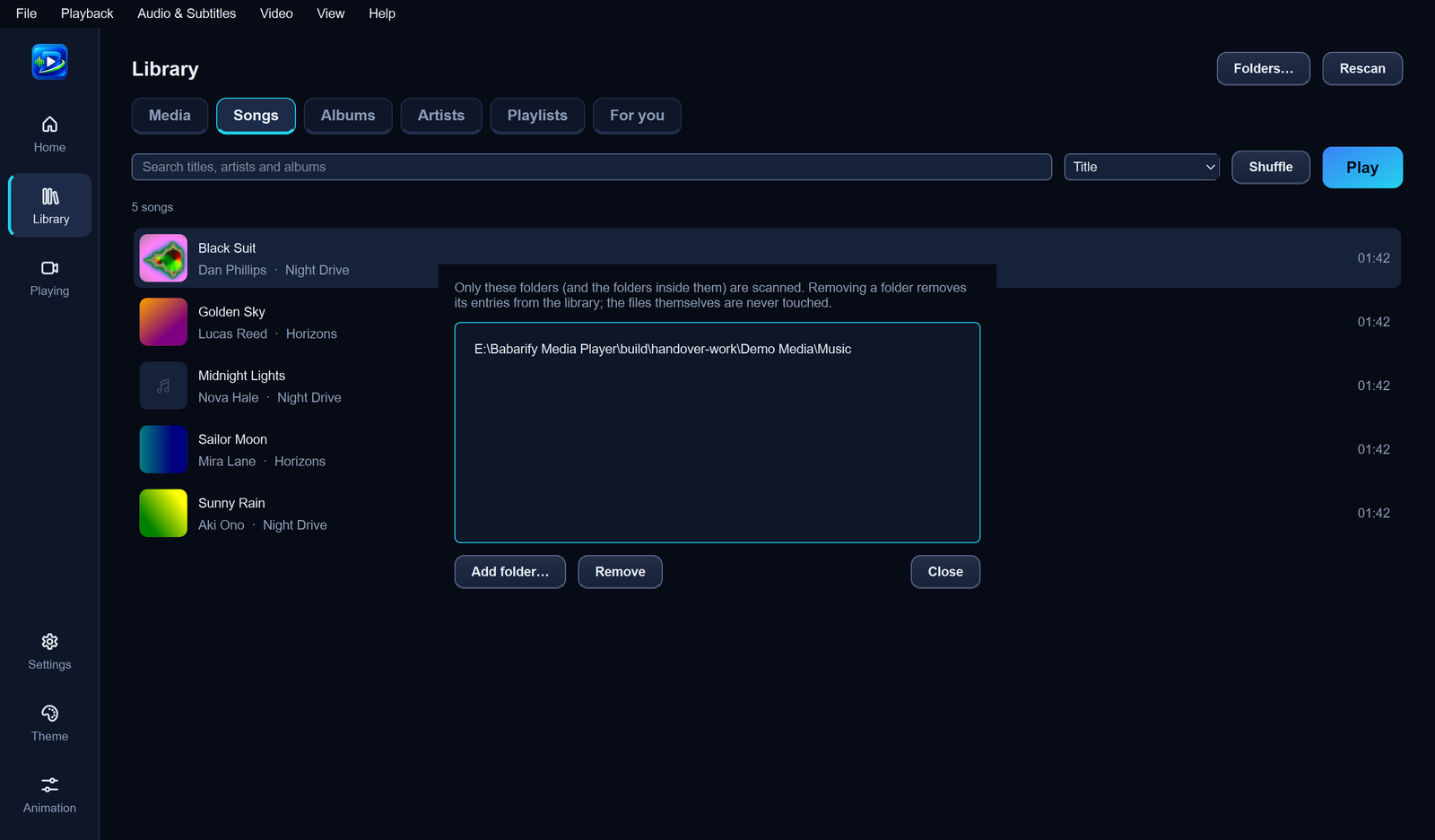
Add the folders where you keep your music and Babarify does the rest. It reads each song's title, artist, album and picture and sorts everything into Songs, Albums and Artists. Your files are never changed.
Search and sort: find songs by title, artist or album, and sort by name, date, year, length or how often you play them.
Favourites and smart lists: Favourites, Recently played, Most played and Recently added fill themselves.
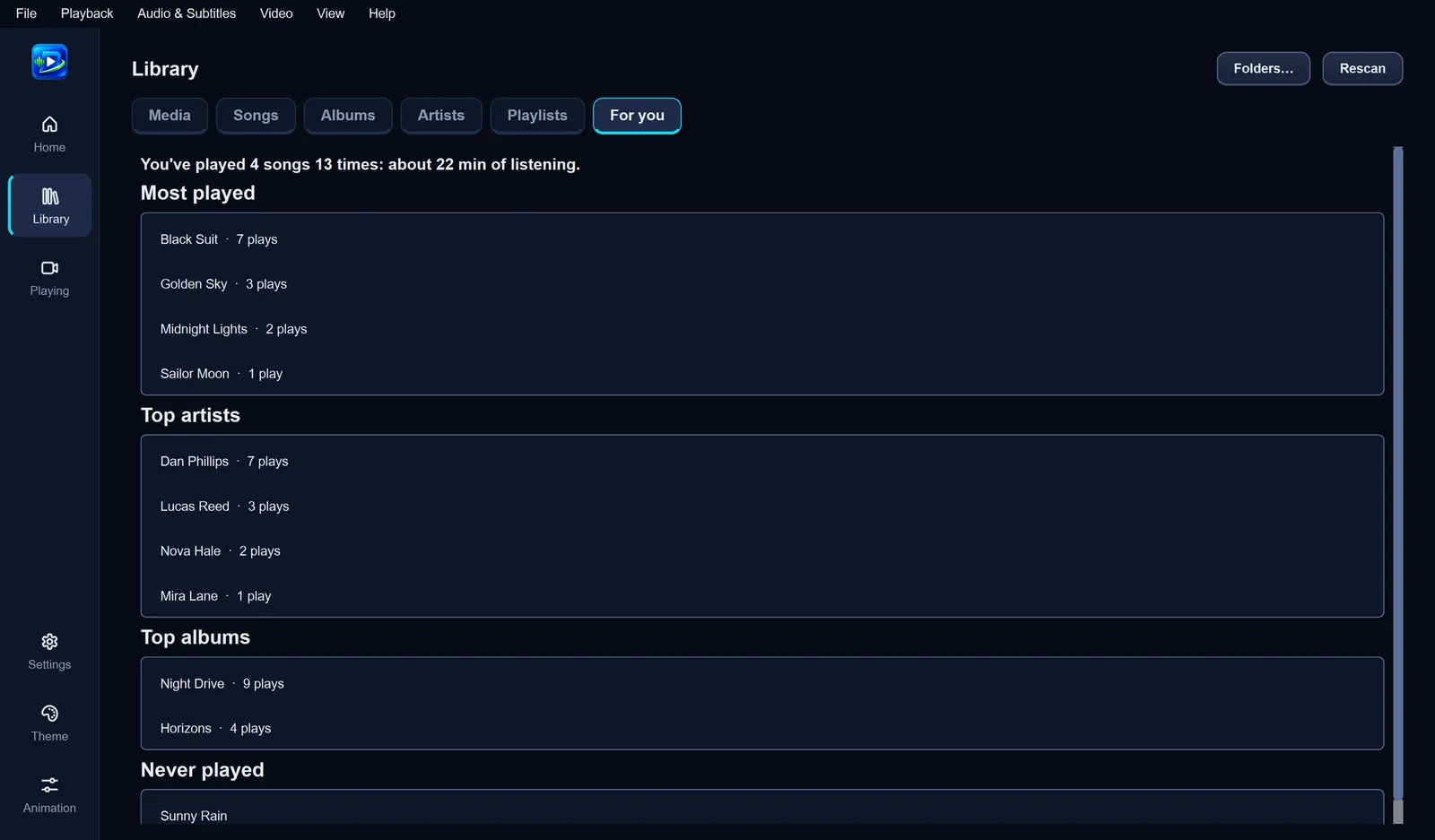
For you: a recap of your listening, with your top songs, artists and albums, and songs you've never played.
Tidy up: fix a song's details or cover, hide files, or move them to the Recycle Bin.
Playlists for every mood
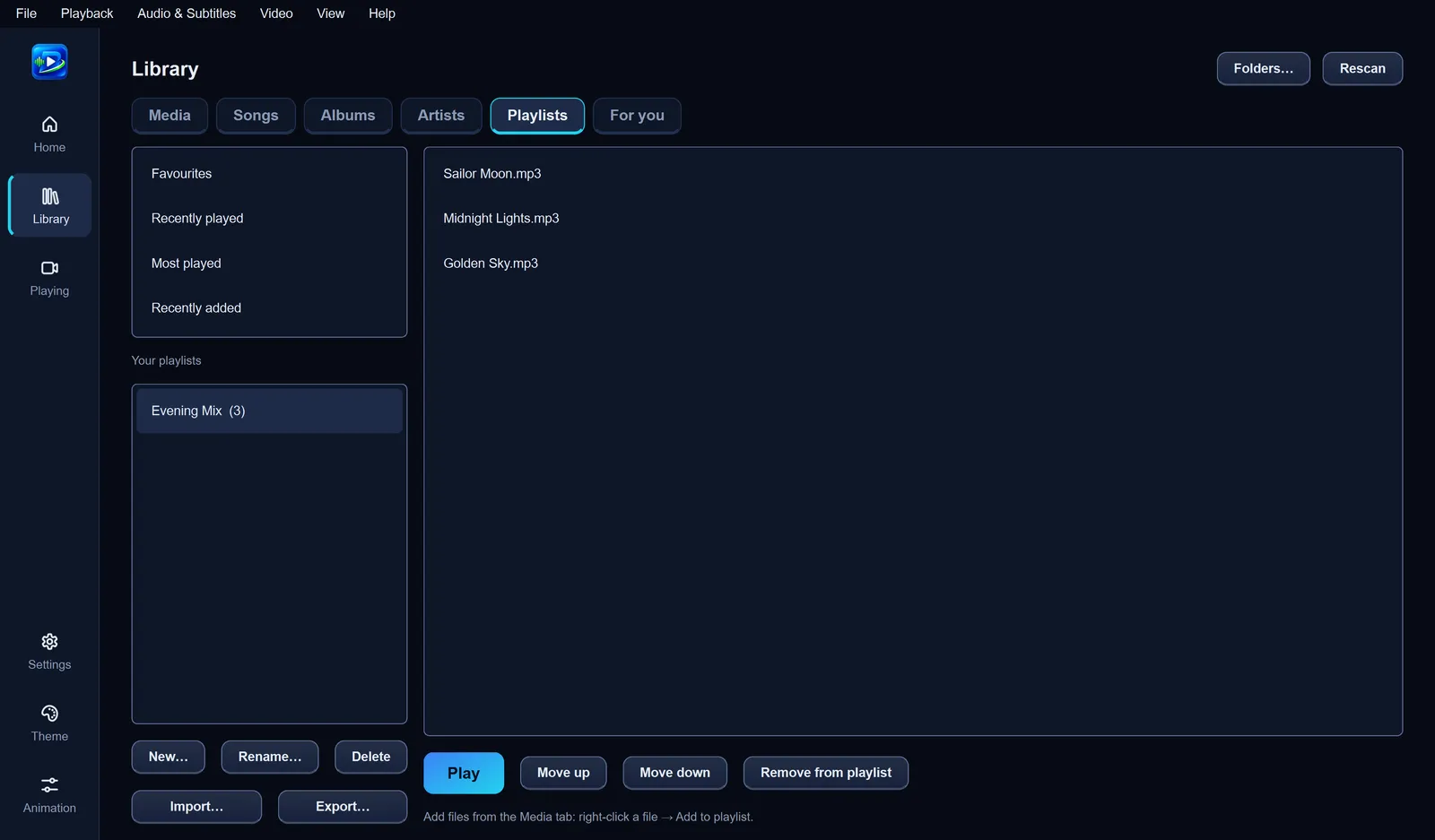
Create playlists, add songs from any song's menu, reorder them and play them in order or shuffled. Your playlists are saved automatically. Bringing playlists from another player? Import and export them as M3U files.
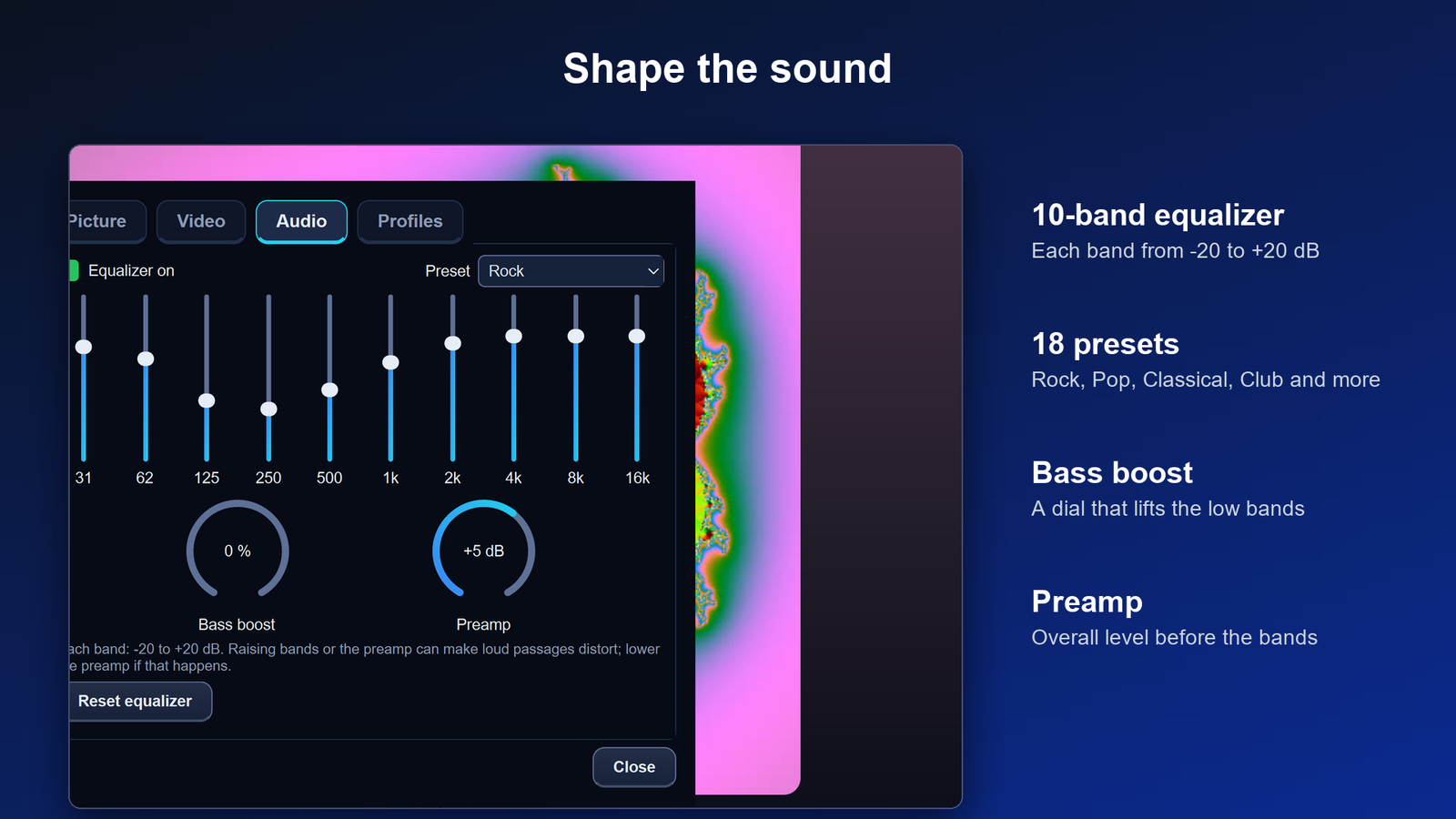
Shape the sound
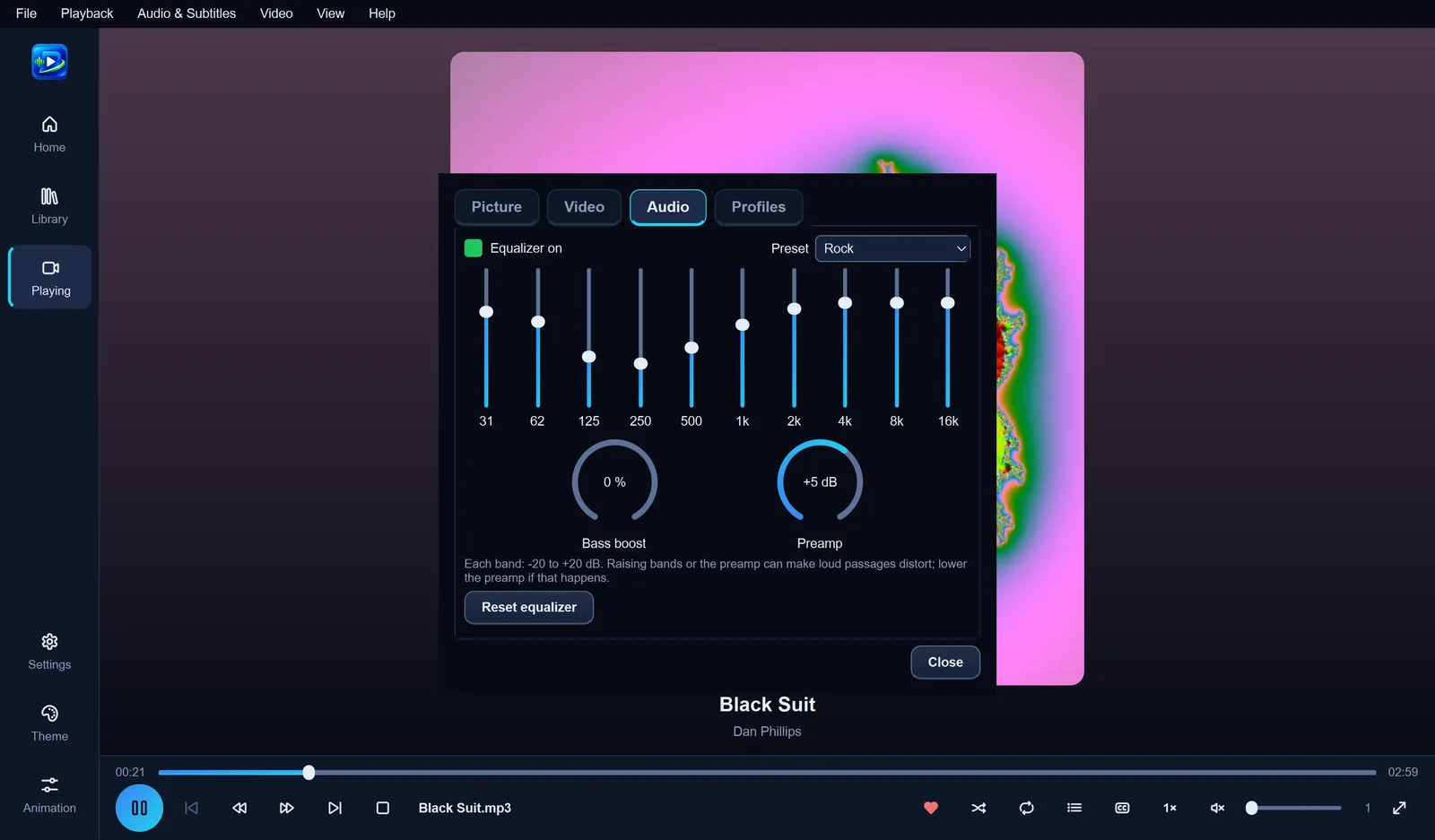
A 10-band equalizer with 18 presets, from Rock and Pop to Classical and Headphones, plus a Bass boost dial for more low end and a Preamp dial for the overall level. Changes are heard straight away, and you can save your favourite settings as a profile.
Sing along with lyrics
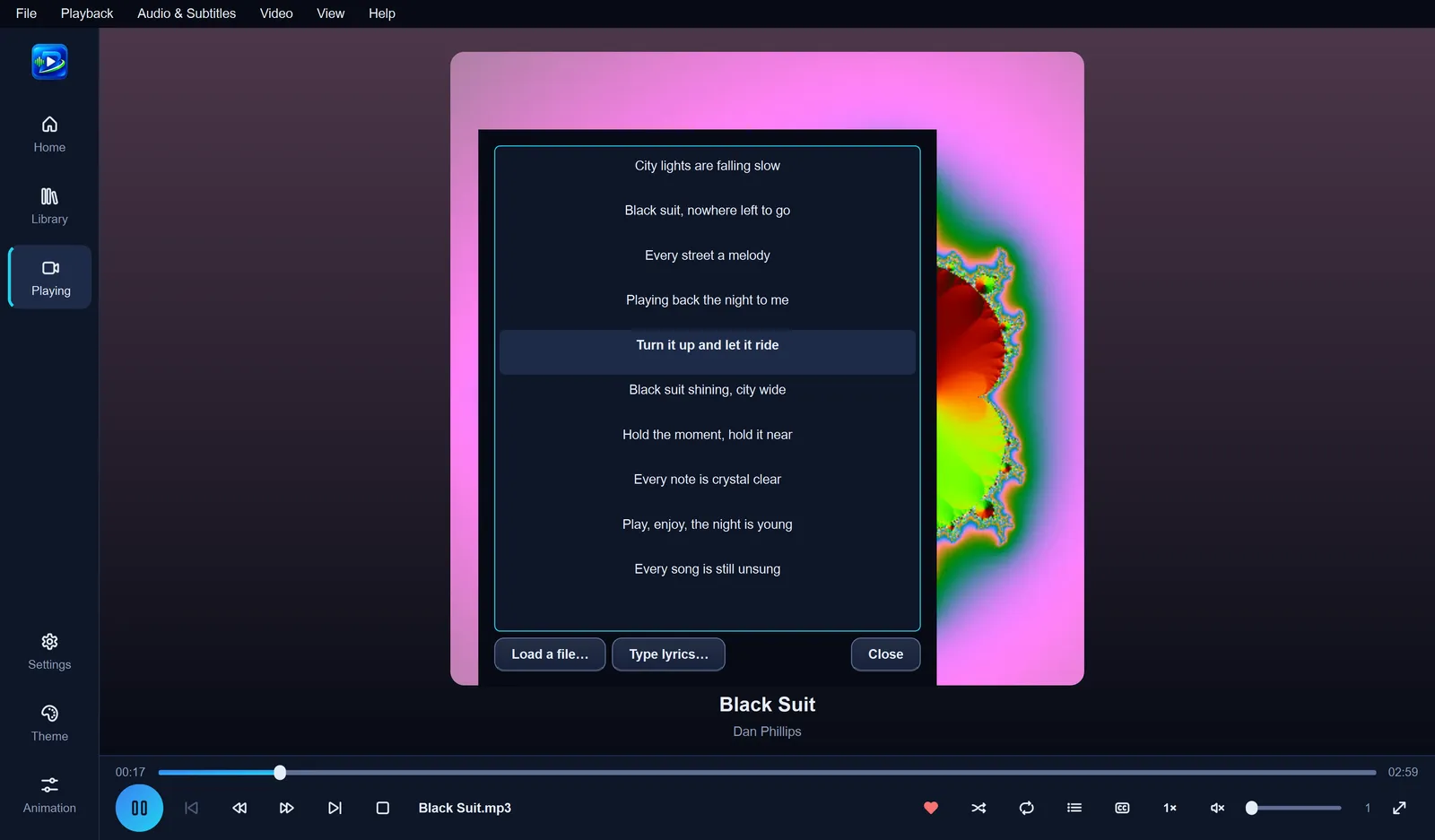
Load lyrics from an .lrc or text file, or type them in. With timed lyrics, the current line lights up and the text scrolls with the song. An .lrc file with the same name as the song is found automatically.
Make it yours
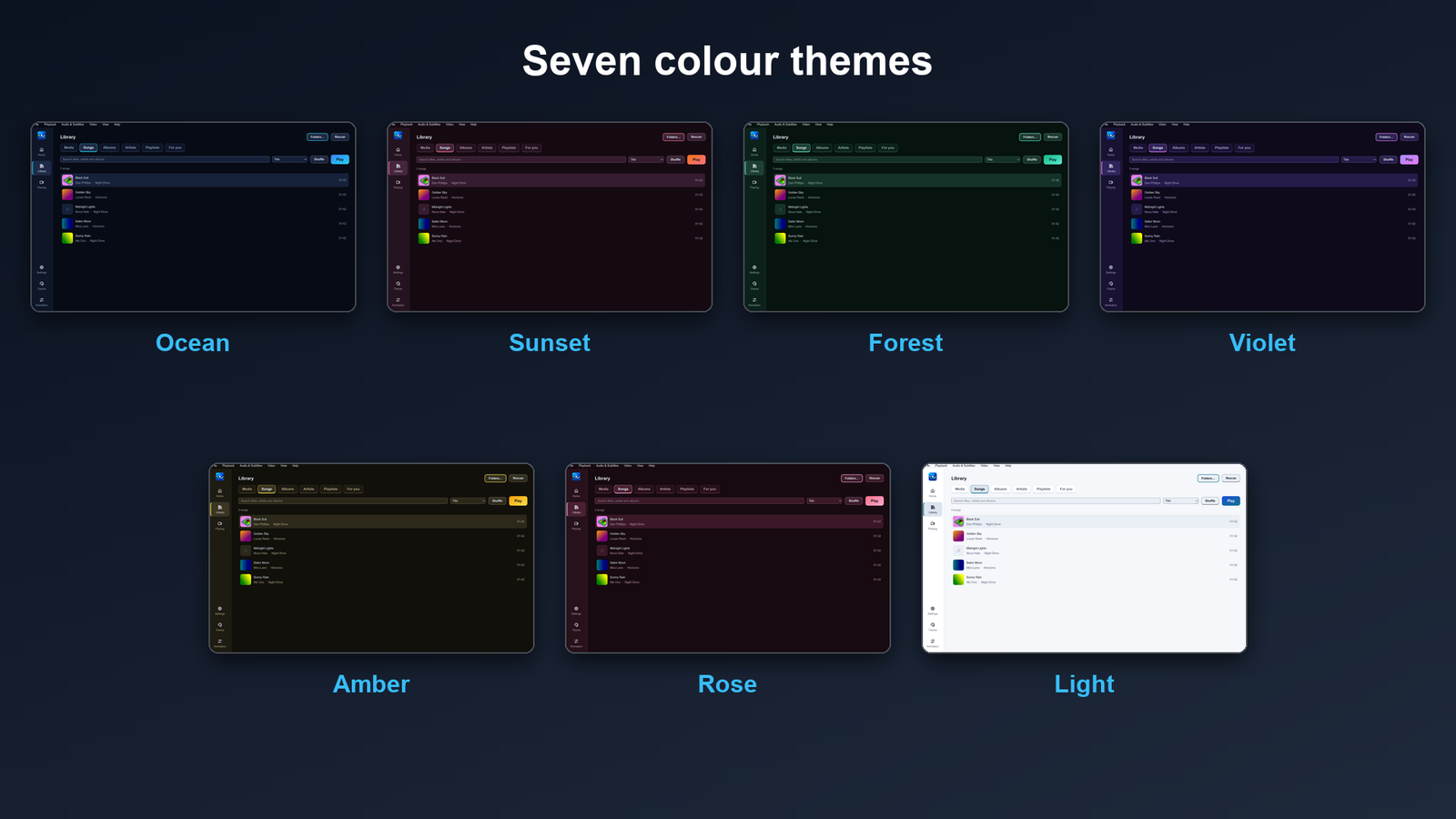
Pick from seven colour themes (Ocean, Sunset, Forest, Violet, Amber, Rose and Light) with one click from the side bar, or put your own picture behind the app. It's gently dimmed so everything stays easy to read.
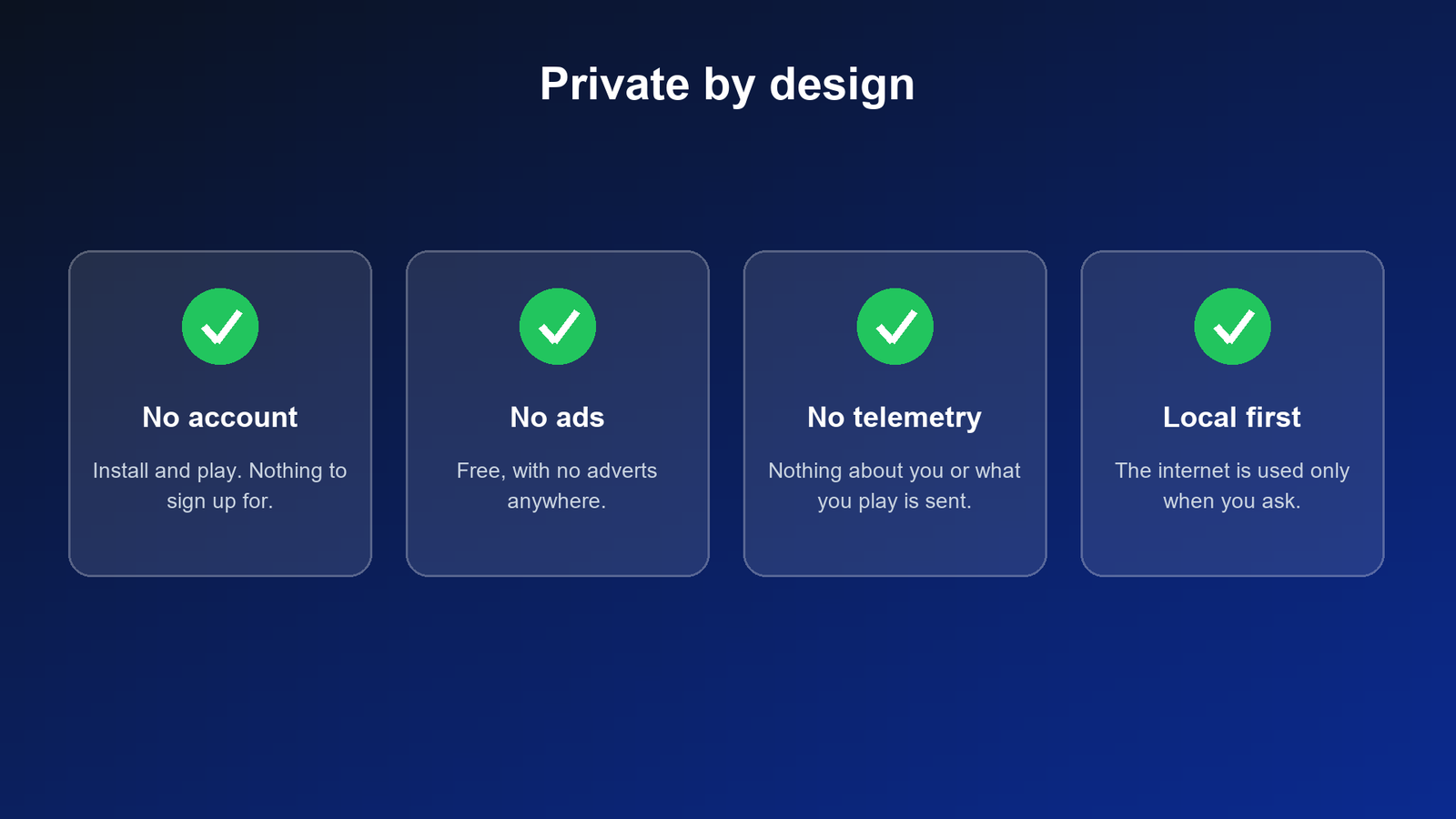
Private by design
No account. Install it and start playing. There's nothing to sign up for.
No ads and no telemetry. Babarify doesn't send information about you or what you play.
Works offline. It uses the internet only when you ask it to: to play a network stream you open, or to download the optional speech model after you confirm.
No automatic update check. You decide when to download a new version.
Your files stay as they are. Babarify reads your media files and doesn't change them. A file is deleted only if you choose Delete from disk and confirm, and then it goes to the Recycle Bin.
Your data stays on your PC. Settings, library, history and logs are stored locally. You can switch history off, clear it, or delete everything when you uninstall.
Keep your settings safe
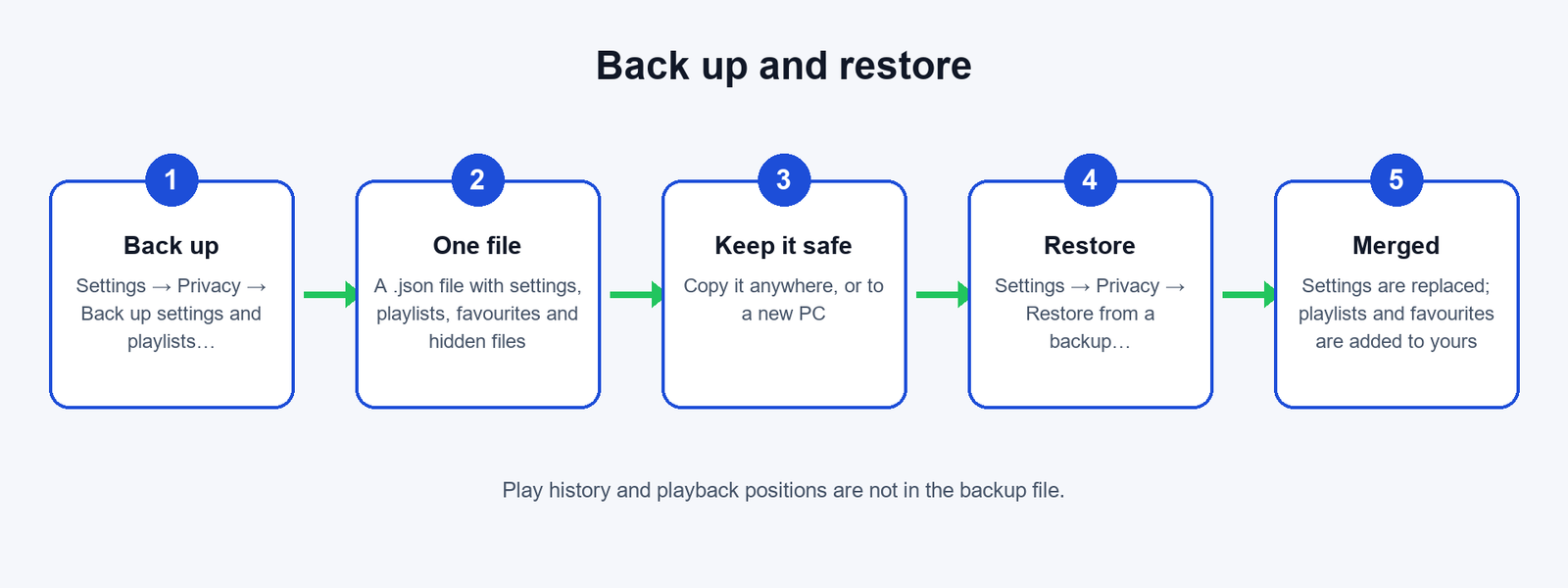
Save your settings, playlists, favourites and hidden-file list to one file with Back up settings and playlists…, and bring them back with Restore from a backup…, on the same PC or a new one. Babarify asks before restoring, and adds your saved playlists and favourites to the ones you already have.
What's in the backup
Settings, playlists, favourites, hidden files.
What isn't
Play history, playback positions, edited song details and covers, lyrics, the background picture, and your media files themselves.
Double-click the installer. If Windows SmartScreen says it doesn't recognise the app, and the checksum matched, choose More info → Run anyway. Follow the steps. Babarify installs for your Windows user only and doesn't need administrator rights. You can choose to add a desktop shortcut and to add Babarify to Open with for video and audio files (your default apps aren't changed).
4
First launch
Start Babarify Media Player from the Start menu. The very first start can take about 15 seconds while Windows checks the new files; later starts take a few seconds.
5
Add your music
Open Library, choose Folders…, then Add folder and pick your music folder. Babarify finds your songs and sorts them into Songs, Albums and Artists.
6
Play a video
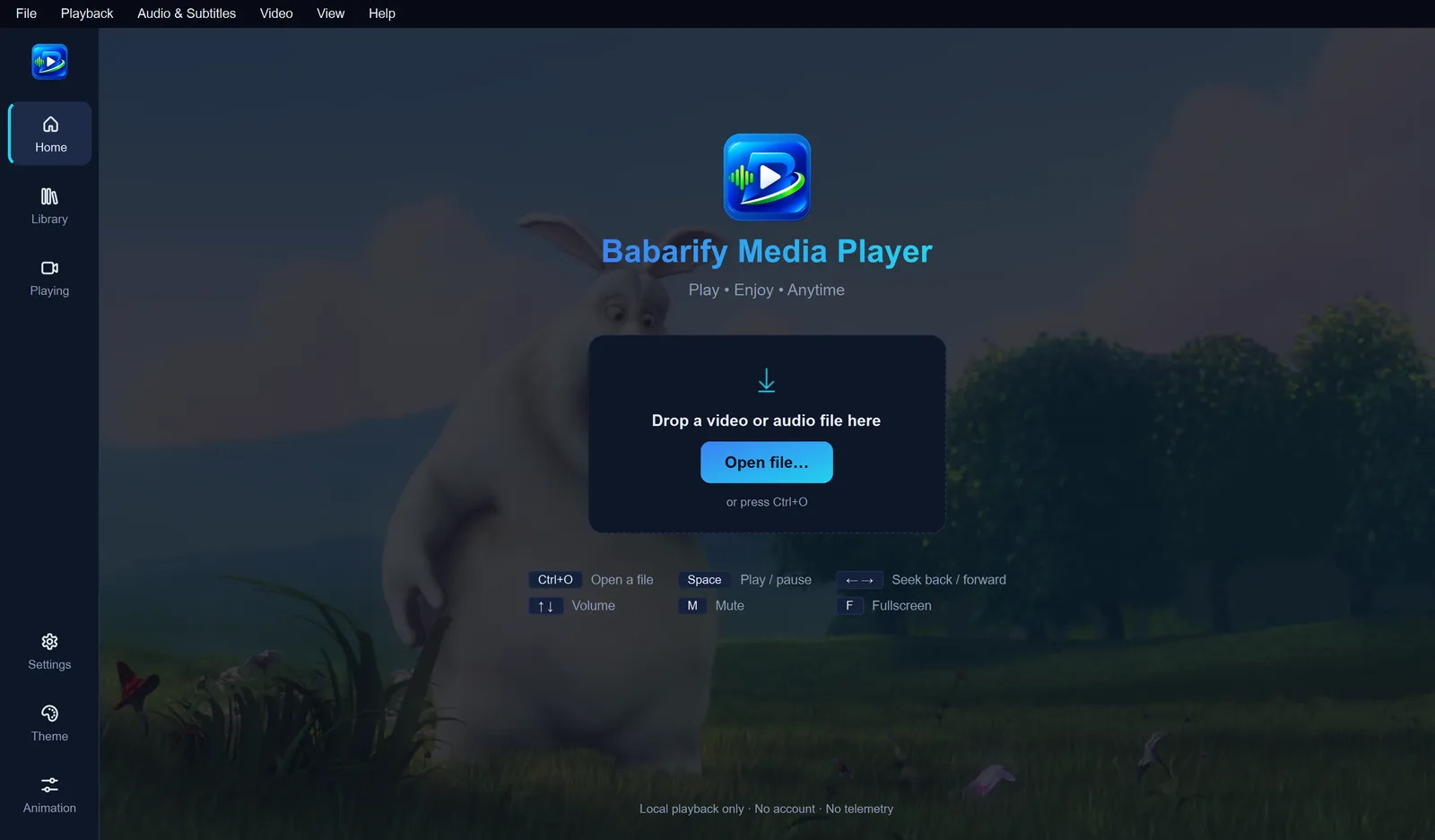
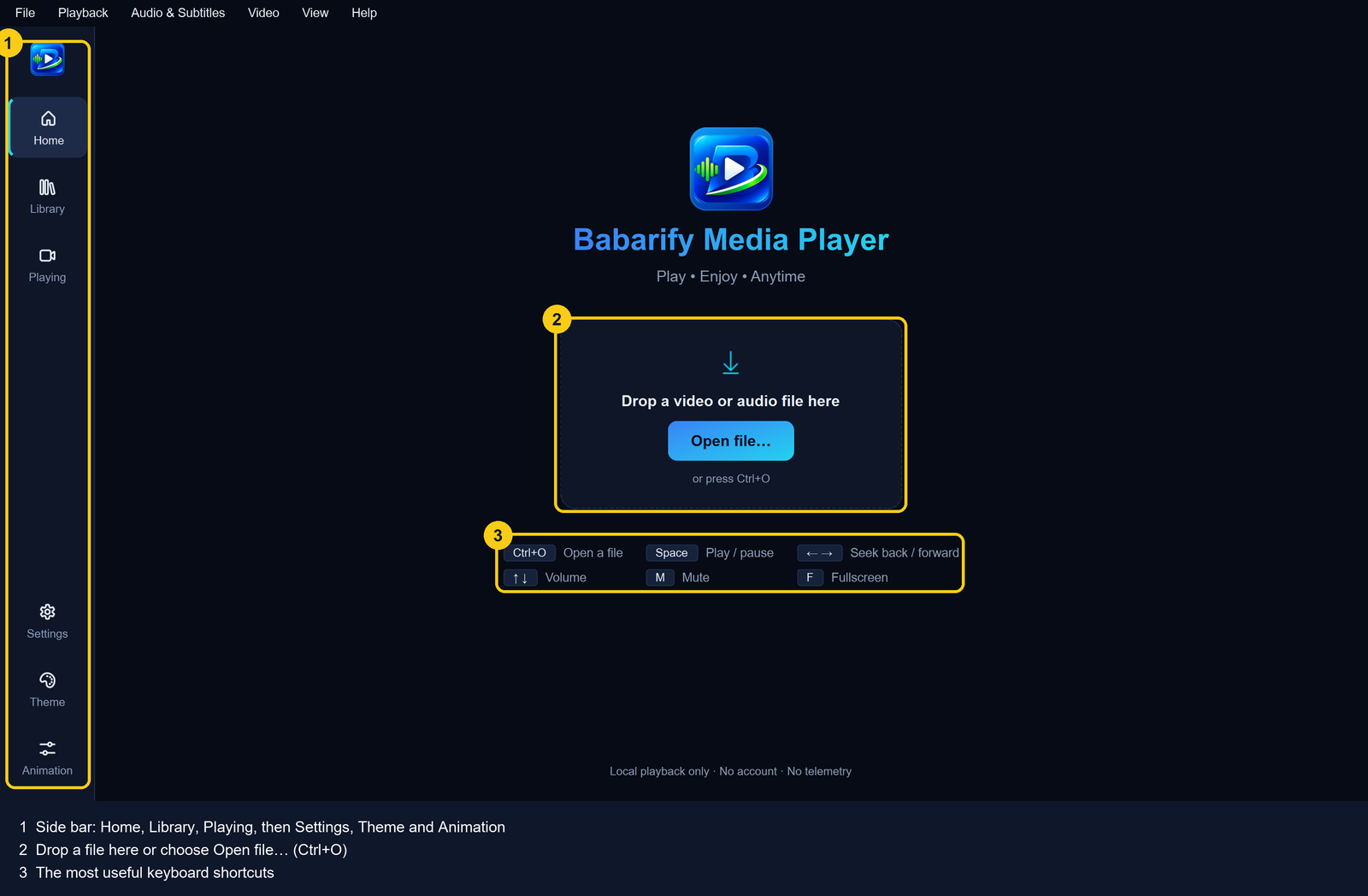
Choose Open file… on Home (or press Ctrl+O), or drag a video onto the window.
7
Play music
In Library → Songs, double-click a song, or press Play or Shuffle.
Updating
Download the newer installer and run it. Your settings and library are kept.
Uninstalling
Open Windows Settings → Apps → Installed apps, find Babarify Media Player and choose Uninstall. You'll be asked whether to delete your Babarify data too. Your media files are never touched.
Frequently asked questions
Which versions of Windows does Babarify Media Player run on?
Windows 10 version 1809 or later and Windows 11, 64-bit (x64). It doesn't run on 32-bit Windows, macOS or Linux.
Is it really free?
Yes. It's free, with no ads, subscriptions or in-app purchases, and it's open source under the GNU GPL v3 or later.
Which video formats can it play?
Common formats including MP4, MKV, MOV, WebM, AVI, MPG/MPEG, TS, WMV and OGV, with codecs such as H.264, HEVC (H.265, including 10-bit and 4K), AV1, VP9, VP8, MPEG-2, MPEG-4 and Theora. DVD and Blu-ray discs aren't supported.
Which audio formats can it play?
MP3, FLAC, AAC/M4A, WAV, Opus, Ogg Vorbis, AC-3 and MKA, among others.
How do I build my music library?
Open Library, choose Folders… and add the folders where you keep your music. Babarify reads the songs' titles, artists, albums and pictures and sorts them into Songs, Albums and Artists. Your files aren't changed.
Can I make playlists?
Yes. Create playlists in Library → Playlists, add songs from any song's right-click menu, reorder them and play them in order or shuffled. You can import and export playlists as M3U files.
Does it show lyrics?
Yes. Load lyrics from an .lrc or text file, or type them in. Timed .lrc lyrics highlight each line as the song plays. There's no online lyrics search.
Is there an equalizer?
Yes: a 10-band equalizer with 18 presets, a Bass boost dial and a Preamp dial (Ctrl+E → Audio).
Can I change how it looks?
Choose one of seven colour themes (Ocean, Sunset, Forest, Violet, Amber, Rose or Light) and add your own background picture.
Does Babarify collect my data?
No account, no ads, no telemetry and no crash upload. Your settings, library and history stay on your PC. The app uses the internet only when you open a network stream or choose to download the optional speech model. More about privacy.
Do I need an internet connection?
No. You only need it to download the installer, to play network streams, or to download the optional speech model.
How do I back up my settings and playlists?
Settings → Privacy → Back up settings and playlists… saves one file with your settings, playlists, favourites and hidden files. Restore it with Restore from a backup…. Play history isn't included.
How do I update?
There's no automatic update check. Download the newer installer from this page and run it; your settings and library are kept.
How do I uninstall it?
Windows Settings → Apps → Installed apps → Babarify Media Player → Uninstall. You'll be asked whether to delete your Babarify data too; your media files are never touched.
Why does Windows warn me when I run the installer?
The installer isn't code-signed yet, so SmartScreen may say it doesn't recognise the app. Check that the file's SHA-256 matches the published checksum before choosing More info → Run anyway.
Is there an Android version?
An Android version is in development and isn't available to download yet. This page will be updated when it's released.